
To build a one-page website in WordPress, start by choosing a responsive, customizable theme that reflects your brand. Add essential sections like an engaging header, an “About” section, and testimonials. Optimize the site for mobile users and speed by using minimal content and prioritizing essential scripts. Incorporate high-quality visuals and multimedia to keep visitors engaged. Finally, leverage plugins for added functionality. If you want to access more tips for success, there’s plenty more to explore!
Choose the Right WordPress Theme for Your One-Page Site

When you’re building a one-page website, choosing the right WordPress theme can make all the difference. You’ll want to focus on theme features that align with your project’s goals.
Look for themes that offer responsive design and easy navigation, guaranteeing your site looks great on any device. Design flexibility is essential, too; you should be able to customize colors, fonts, and layouts to reflect your brand’s identity.
Check for built-in sections like testimonials, portfolios, or contact forms that can enhance user experience. Also, make sure the theme is lightweight for faster loading times. Furthermore, opt for themes that provide SEO-friendly designs, as they can significantly boost visibility in search engine results.
Customize Your Theme for a Unique Look

To make your one-page website stand out, start by choosing a suitable theme that aligns with your vision.
Once you’ve selected a theme, utilize its customization options to tailor the look and feel to your brand.
This way, you’ll create a unique online presence that captures visitors’ attention. Additionally, consider using a theme like Astra for its exceptional speed and code-free customization capabilities.
Choose A Suitable Theme
Choosing a suitable theme is essential, as it sets the tone and style for your one-page website. During your theme selection, think about how it aligns with your brand and message.
Consider the aesthetic considerations that will appeal to your target audience. Whether you want a minimalist look or something more vibrant, the right theme can enhance user experience and engagement.
Look for responsive designs that adapt well to different devices, ensuring your site looks great everywhere.
Don’t forget to check for customization options within the theme, which can help you tweak colors and layouts.
Utilize Customization Options
Customizing your theme can make all the difference in creating a one-page website that stands out. Start with color schemes that reflect your brand’s identity and enhance user experience.
Pair these with thoughtful typography choices to guarantee readability and engagement. Don’t shy away from layout variations; they can guide visitors through your content strategy effectively.
Incorporate branding elements that resonate with your audience, while making sure accessibility features cater to all users. Add interactive elements to keep visitors engaged, and establish a strong visual hierarchy to highlight key information.
Finally, craft engaging headlines that draw attention and encourage further exploration. By utilizing these customization options, you’ll create a unique and memorable one-page site.
Add Essential Sections to Your One-Page Website
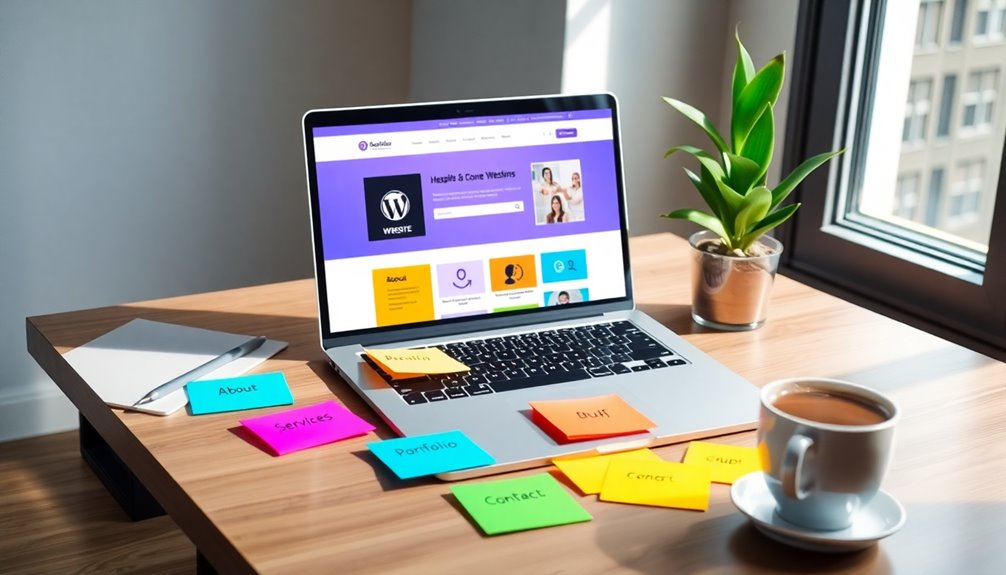
As you immerse yourself in building your one-page website, it’s essential to include important sections that effectively communicate your message. Start with a strong header design that captures attention and sets the tone.
Next, establish a clear content hierarchy to guide visitors through your site seamlessly.
Consider adding these impactful sections:
- About: Share your story and values to connect emotionally.
- Services/Products: Highlight what you offer, showcasing benefits and solutions.
- Testimonials: Include real experiences that build trust and credibility.
These elements not only enhance user experience but also create a narrative that resonates with your audience. Incorporating SEO optimization plugins can further improve your site’s visibility and reach.
Make sure each section flows naturally to keep visitors engaged and encourage them to take action.
Optimize for Mobile Users and Page Speed
To make your one-page website effective, you need to prioritize mobile users and guarantee quick loading times.
Start by applying mobile-first design principles, which cater to smaller screens right from the beginning.
Then, implement speed optimization techniques to keep your site running smoothly, no matter the device. Additionally, utilizing fast WordPress themes can significantly enhance loading times and improve user experience.
Mobile-First Design Principles
While creating a one-page website, prioritizing mobile-first design principles is essential, especially since more users access the web through their smartphones.
Focusing on responsive design guarantees your site looks great on any device. Incorporate touch interactions and viewport scaling for a seamless experience.
To enhance user experience, consider these elements:
- Mobile navigation that’s intuitive and easy to use
- Minimal content that captures attention without overwhelming
- Accessibility features to welcome all users
Speed Optimization Techniques
A mobile-first design not only enhances user experience but also sets the stage for speed optimization, which is essential for retaining visitors.
Implement cache techniques to store frequently accessed data, reducing load times. Use image compression to minimize file sizes without sacrificing quality, ensuring faster page rendering.
Code minification can further streamline your HTML, CSS, and JavaScript, cutting down unnecessary characters and boosting performance.
Leverage a content delivery network (CDN) to distribute your site’s content closer to users, speeding up access. Additionally, focus on server optimization to handle requests efficiently.
Finally, optimize script loading by deferring non-essential scripts, allowing critical content to load first. These strategies will create a fast, responsive one-page website that keeps users engaged.
Incorporate Engaging Visuals and Multimedia
Incorporating engaging visuals and multimedia can transform your one-page website from ordinary to extraordinary. To captivate your audience, focus on visual storytelling and effective multimedia integration.
Here are three powerful elements to evaluate:
- Striking Images: Use high-quality images that resonate with your brand message and evoke emotion.
- Videos: Embed short, compelling videos that explain your product or service, making your site more interactive.
- Infographics: Create visually appealing infographics to present complex information clearly and engagingly.
These elements not only enhance the aesthetic appeal of your website but also foster a deeper connection with your audience. Additionally, implementing automated backups ensures your website’s content is protected while you focus on creating engaging visuals.
Utilize Plugins for Enhanced Functionality
Engaging visuals and multimedia grab attention, but to take your one-page website to the next level, consider utilizing plugins for enhanced functionality.
Start with plugin recommendations that boost user experience, like SEO tools to improve your site’s visibility. For feature enhancements, opt for plugins that add contact forms or galleries.
Don’t forget about performance tracking; tools like Google Analytics can help you monitor visitor behavior effectively. Additionally, leveraging SEO optimization plugins can significantly enhance your site’s visibility and ranking chances.
When installing plugins, follow installation tips closely and perform compatibility checks to guarantee they work smoothly with your theme.
Finally, prioritize security plugins to protect your site from vulnerabilities.
Set Up Navigation and Smooth Scrolling
Setting up navigation and smooth scrolling is essential for a seamless user experience on your one-page website.
Effective navigation and smooth scrolling are crucial for a seamless user experience on your one-page website.
By implementing navigation best practices, you’ll guide visitors effortlessly through your content. Here’s how to create an engaging experience:
- Keep it simple: Use clear, concise labels for your navigation links.
- Highlight active sections: Make it easy for users to know where they’re on the page.
- Add smooth scrolling techniques: Guarantee users glide to sections, making exploration enjoyable.
- Incorporating high-quality content can further improve conversion rates and keep users engaged.
Publish and Promote Your One-Page Website
How can you effectively share your one-page website with the world? Start by leveraging social media platforms that resonate with your target audience. Create engaging posts that highlight your website’s unique features and use effective SEO tactics to improve visibility.
Don’t forget email marketing; craft a compelling message to inform your subscribers about your launch.
Develop a content strategy that includes blog posts or videos to drive traffic. Consider influencer outreach to tap into their networks for broader exposure.
Use analytics tools to track engagement metrics, helping you understand what resonates best. By focusing on these strategies, you’ll increase your website’s reach and connect with more potential visitors. Additionally, implementing built-in SEO features will further enhance your site’s visibility. Happy promoting!
Monitor Performance and Make Improvements
Once your one-page website is live, it’s essential to monitor its performance to confirm it meets your goals. Use website analytics to track key performance metrics and gather user feedback. This data can help you identify areas for improvement.
Consider these strategies:
- A/B testing: Experiment with different layouts or calls to action.
- Loading times: Make sure your site loads quickly to retain visitors.
- Content updates: Refresh your content regularly to keep it engaging. Regularly updating content signals site activity to search engines, enhancing your SEO effectiveness.
Conclusion
Building a one-page website in WordPress can feel like a challenging task, but with the right steps, it’s surprisingly simple! As you customize your theme and add engaging visuals, you might just find yourself falling in love with the process. Who knew creating a stunning site could be this enjoyable? So go ahead, publish your masterpiece, and watch as it attracts visitors. You’ll be amazed at how a single page can make such a big impact!