
When you’re choosing the top eCommerce themes for your WooCommerce store, you need to focus on aesthetics, speed, and compatibility with plugins. Look for responsive designs that optimize user experience across devices. Free themes like Astra and Storefront offer great options, while premium themes provide advanced features and security. Prioritizing user navigation will keep customers engaged and coming back. If you want to explore more valuable tips on themes, you’ll find plenty of insights ahead.
Why Choosing the Right Theme Matters for WooCommerce
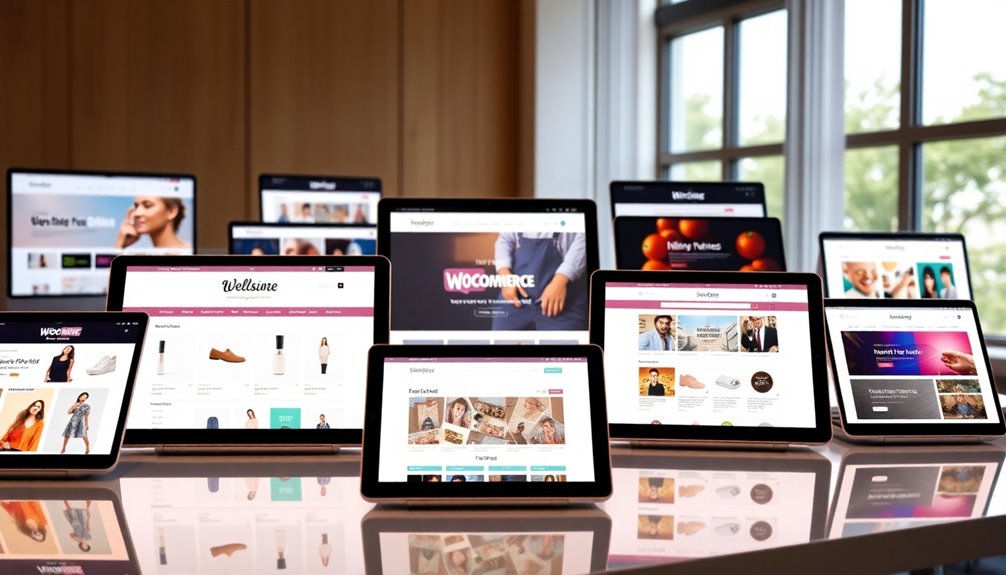
Choosing the right theme for your WooCommerce store is essential for your success. The theme aesthetics should reflect your brand alignment, creating a cohesive look that resonates with your audience. When users find your site visually appealing, it enhances user engagement, leading to higher conversion rates.
Don’t overlook loading speed; a slow site can deter potential customers and erode their trust. Make certain your chosen theme supports feature compatibility with necessary plugins and tools, helping you optimize your store’s functionality.
Additionally, consider the update frequency of the theme; regular updates keep your store secure and up-to-date. Prioritizing these factors not only boosts customer trust but also sets a strong foundation for your eCommerce journey. Choosing a theme like Astra’s fast loading speeds can significantly enhance your site’s performance and user experience.
Key Features to Look For in eCommerce Themes
When selecting an eCommerce theme for your WooCommerce store, there are several key features that can greatly enhance your online shopping experience.
First, verify theme compatibility with the latest WooCommerce version; this will help prevent technical issues down the line.
Look for responsive design, so your store looks great on all devices. Fast loading times are essential, as slow sites can deter potential customers.
Additionally, prioritize user support; a theme with reliable support resources can save you time and frustration.
Customization options are also important, allowing you to tailor the look and feel of your store.
Finally, consider SEO-friendly features to boost your search engine visibility and drive more traffic to your site. Moreover, ensure that the theme supports conversion rate optimization strategies to enhance engagement and sales.
Top Free WooCommerce Themes for Budget-Conscious Stores
For budget-conscious store owners, finding the right WooCommerce theme can feel like a formidable task.
Fortunately, there are several high-quality free themes that offer budget-friendly designs without skimping on quality. Themes like Astra and Storefront are excellent choices, known for their sleek aesthetics and easy customization options.
These themes guarantee great theme compatibility with various plugins, enhancing your store’s functionality.
Additionally, Neve and Hestia provide responsive layouts, making sure your site looks fantastic on all devices.
By choosing one of these free themes, you can create an attractive and functional online store while keeping your costs low.
With the right theme, you’ll set the stage for successful online selling without breaking the bank. Moreover, a focus on content ensures that your products shine, enhancing the overall user experience.
Best Premium WooCommerce Themes for Enhanced Functionality
Investing in a premium WooCommerce theme can greatly enhance your online store’s functionality and user experience.
These themes often come packed with premium features like advanced customization options and seamless plugin support. You’ll find that their design trends align with current aesthetics, ensuring your store looks modern and appealing.
Premium themes offer advanced customization and seamless plugin support, ensuring your store remains modern and visually appealing.
Plus, their theme compatibility means you won’t face conflicts with essential plugins. Pay attention to user reviews; they can provide insights into performance metrics and reliability.
Security measures in premium themes are usually more robust, protecting your customers’ data. Additionally, premium themes offer ongoing updates and technical support, ensuring your store remains secure and up-to-date.
Ultimately, choosing the right premium theme can elevate your store, making it not just visually stunning but also incredibly efficient.
Themes Designed for Mobile Optimization and Performance
Choosing a premium WooCommerce theme lays the groundwork for a robust online store, but it’s not just about aesthetics; mobile optimization is key.
With a mobile first design, you guarantee your site looks stunning and functions seamlessly on smartphones and tablets. Many users shop on mobile devices, so prioritizing their experience can greatly boost your sales.
Look for themes that focus on load speed, as slow-loading pages can lead to high bounce rates. A theme that’s lightweight and optimized will enhance user engagement and retention.
By selecting a theme tailored for mobile performance, you’re investing in a better shopping experience, leading to happier customers and increased conversions. Additionally, consider themes with SEO-friendly features, as they play a crucial role in improving your online visibility.
Don’t underestimate the power of mobile optimization in today’s eCommerce landscape!
How to Customize Your WooCommerce Theme for Your Brand
Customizing your WooCommerce theme is essential for creating a unique brand identity that resonates with your audience.
To achieve visual consistency, focus on these key elements:
- Color Palette: Choose colors that reflect your brand and evoke the right emotions.
- Typography Choices: Select fonts that match your brand’s personality and enhance readability.
- Logo Integration: Make sure your logo is prominently displayed for immediate brand recognition.
A unique layout can improve customer engagement, while brand storytelling enhances the shopping experience. Additionally, consider integrating customizable product pages to enhance visual appeal and drive engagement.
Don’t forget to gather user feedback for continuous improvement and consider seasonal updates to keep your site fresh and relevant.
WooCommerce Themes With Built-In SEO Features
When you’re selecting a WooCommerce theme, it’s essential to evaluate built-in SEO features that can boost your store’s visibility. Look for themes that support SEO plugins to enhance keyword optimization and allow easy customization of meta tags.
A well-structured site improves navigation, which is vital for both users and search engines. Prioritize themes that guarantee fast page speed and offer image optimization tools, as these factors greatly influence user experience and search rankings.
Additionally, themes with integrated schema markup can enhance your content marketing efforts by making your products more visible in search results. For mobile SEO, verify the theme is responsive, catering to the growing number of mobile shoppers.
Themes with integrated schema markup boost product visibility in search results, while responsive designs cater to the increasing mobile shopper market.
Incorporating effective backlink strategies can further amplify your store’s reach, as quality backlinks improve rankings and contribute to overall SEO success.
The Importance of User Experience in Theme Selection
When choosing a WooCommerce theme, user experience should be at the forefront of your decision. You want a design that makes navigation easy and adapts seamlessly to mobile devices. A great theme enhances customer satisfaction and keeps shoppers coming back. Additionally, selecting a theme with responsive design ensures that your site functions well on all devices, further improving the overall user experience.
Navigation Ease
While choosing an eCommerce theme for WooCommerce, navigation ease plays a crucial role in shaping user experience. An intuitive design helps your customers find what they need quickly, enhancing their shopping experience.
Key elements include:
- Menu structure: A clear layout guarantees users can easily explore categories.
- Search functionality: Allowing users to search products directly saves time and frustration.
- Filter options: Letting customers refine their choices improves product navigation.
Integrating breadcrumb trails aids in tracking their journey, while effective category organization simplifies navigation.
Don’t forget about accessibility features to guarantee everyone can enjoy your store.
Prioritizing these elements will lead to a smoother experience, keeping customers engaged and increasing the likelihood of conversions.
Mobile Responsiveness
A smooth navigation experience on desktops is just part of the equation; mobile responsiveness is equally vital in today’s shopping landscape. When selecting a theme for your WooCommerce store, you can’t overlook the importance of a mobile layout.
More shoppers are using their smartphones, and your site needs to look great and function well on smaller screens.
Touch optimization is significant here—ensure buttons are large enough for easy clicking and that menus are user-friendly. If your visitors struggle to navigate on mobile, they’ll likely abandon their carts.
A responsive theme not only enhances user experience but also boosts conversions. Prioritize mobile responsiveness in your theme selection to create an engaging shopping experience that keeps customers coming back.
Comparing Popular WooCommerce Themes: Pros and Cons
When choosing a WooCommerce theme, you’ll want to weigh design flexibility and customization against performance and speed optimization.
Each theme has its strengths and weaknesses, which can greatly impact your online store’s success. Additionally, understanding SEO optimization plugins can enhance your store’s visibility and traffic.
Let’s break down these key factors to help you make an informed decision.
Design Flexibility And Customization
Choosing the right WooCommerce theme can greatly impact your store’s design flexibility and customization options.
You’ll want to take into account how well each theme aligns with current design trends and user preferences. Here are some factors to think about:
- Color palettes: Make sure they match your branding consistency.
- Layout options: Look for versatile designs that support a clear visual hierarchy.
- Typography choices: Choose fonts that enhance readability and aesthetic appeal.
Balancing functionality with appealing design elements is key.
A theme that allows you to tweak these aspects will cater to your unique branding needs while keeping your audience engaged.
Ultimately, the right theme can elevate your store’s appearance and user experience, making customization a crucial factor.
Performance And Speed Optimization
When comparing popular WooCommerce themes, consider their theme load times and compatibility with caching solutions. Effective image optimization and CDN integration can drastically improve load speeds, especially on mobile devices.
Using lazy loading can also enhance performance by delaying the loading of off-screen images. Don’t forget script management; minimizing and combining scripts can reduce server response times.
Regular performance testing helps you identify bottlenecks, ensuring your site runs smoothly.
Ultimately, choose a theme that balances aesthetics with speed to create a seamless shopping experience that keeps customers coming back.
Tips for Updating and Maintaining Your WooCommerce Theme
Updating and maintaining your WooCommerce theme is essential for guaranteeing a smooth and secure shopping experience.
Regular attention to your theme can enhance user engagement and boost sales. Here are some tips to keep in mind:
Regularly updating your theme is key to improving user engagement and driving sales.
- Stay on top of theme updates: Regularly check for updates to guarantee plugin compatibility and security patches.
- Monitor performance: Conduct performance monitoring to identify issues, making necessary styling adjustments or feature enhancements.
- Gather user feedback: Actively seek feedback to guarantee design consistency and browser compatibility, adapting your theme based on real user experiences.
Additionally, don’t forget to perform regular backups to safeguard against data loss. Implementing automated backups can streamline your data protection process and ensure that your site is always secure.
Conclusion
In the world of eCommerce, picking the right WooCommerce theme can make or break your store. With so many options, it’s essential to weigh the features that matter most to you. Remember, the right theme not only enhances functionality but also boosts user experience and SEO. So, don’t just go with the flow—take the time to find a theme that fits your brand and goals perfectly. After all, a good foundation is key to lasting success!