
To create a custom homepage in WordPress, start by selecting a theme that allows for strong customization and responsive layouts. Set your desired page as the homepage in your WordPress settings, and consider using a page builder for an easy drag-and-drop design. Incorporate essential elements like your logo, clear navigation, and calls to action for improved engagement. Regular updates and testing are vital for maintaining user experience. There’s even more to explore to enhance your site further!
Understanding the Importance of a Custom Homepage

A custom homepage can make all the difference for your website. It’s your first chance to grab visitors’ attention, and it sets the tone for their entire experience.
By taking advantage of customization benefits, you can create a unique layout that resonates with your audience. This tailored approach not only reflects your brand but also enhances user experience.
Taking advantage of customization allows you to craft a unique layout that resonates with your audience and elevates user experience.
When visitors feel welcomed and engaged, they’re more likely to explore further. You can highlight key content, products, or services that matter most to them, making navigation seamless.
Plus, a well-designed homepage can improve your site’s search engine visibility. Don’t underestimate the impact a personalized homepage can have; it’s essential for fostering connections and driving conversions. Additionally, utilizing Divi’s drag-and-drop interface can significantly streamline the design process.
Choosing the Right WordPress Theme for Your Homepage

Your choice of WordPress theme plays a significant role in how effectively you can customize your homepage. Look for themes that offer strong theme customization options, allowing you to adjust color schemes and typography choices to match your brand alignment.
Consider how the visual aesthetics impact user experience; a clean, attractive layout can keep visitors engaged. Make sure the theme boasts excellent performance with responsive layouts that adapt to different devices.
Also, check for plugin compatibility, as this can enhance your site’s functionality. Finally, prioritize layout flexibility, so you can easily organize your content as needed. Additionally, themes like Astra are known for their superfast performance and WooCommerce integration, making them ideal for various website types.
Setting Up Your Homepage in WordPress Settings
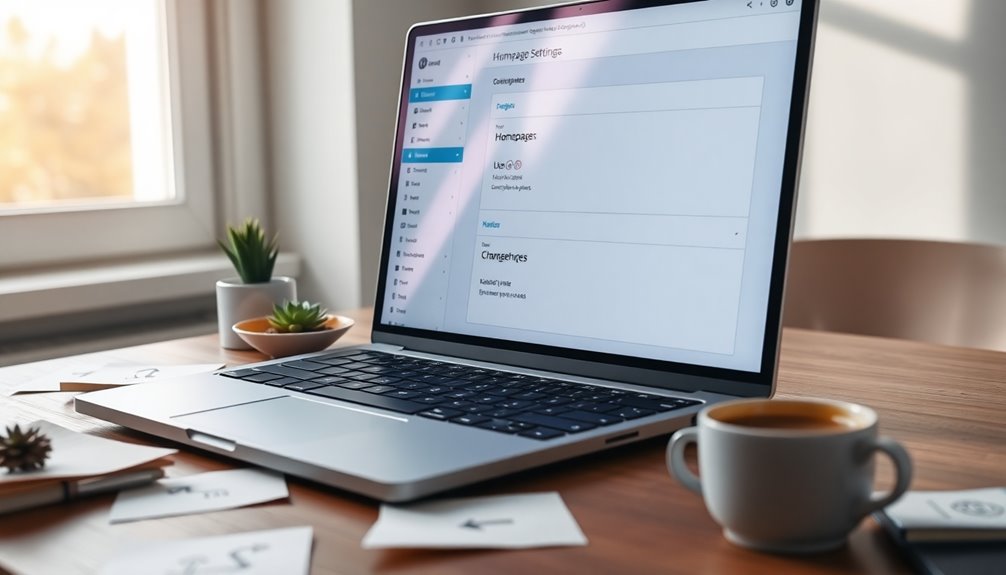
- Choose the page you want as your homepage from the dropdown.
- Adjust the Blog page if needed, to define where your posts appear.
- Save your changes to finalize the setup.
With these steps, you’ll create a welcoming homepage that not only looks professional but also engages your audience right from the start. Additionally, having a well-chosen domain name can further enhance your site’s visibility and brand identity.
Using Page Builders to Design Your Homepage
When it comes to designing your homepage, choosing the right page builder can make all the difference. You’ll want to contemplate essential design features that fit your vision and user experience. Additionally, utilizing a WordPress page builder can significantly streamline the design process, allowing for a more efficient and customized layout. Let’s explore how to select the best tools to create a stunning homepage.
Choosing the Right Builder
How do you choose the right page builder for your custom homepage in WordPress? It’s essential to find a builder that suits your needs.
Look for the following key features:
- Drag and drop features for easy layout design
- User-friendly interfaces that simplify the building process
- Template customization options to match your brand
- Integration capabilities with plugins and tools you already use
- Performance optimization to guarantee quick loading times
Consider how much design flexibility each builder offers, especially for responsive layouts.
If you need advanced functionalities, verify your chosen builder can accommodate those as well.
Essential Design Features
Creating a visually appealing homepage is essential for engaging visitors, and using a page builder simplifies this process greatly.
Start by choosing color schemes that resonate with your brand identity and enhance user experience. Pay attention to typography choices, guaranteeing they’re legible and align with your overall design.
Establish a clear layout structure that guides users smoothly through your content, implementing visual hierarchy to highlight important elements. Use high-quality imagery selection to draw attention and create emotional connections.
Don’t forget the significance of whitespace usage; it helps declutter your design and improves readability.
Stick to consistency principles across all sections for a cohesive look, and incorporate accessibility features to ascertain everyone can navigate your site easily.
Incorporating Essential Elements: Logo, Navigation, and Branding
A well-designed homepage isn’t complete without essential elements like your logo, navigation, and branding.
These components enhance user experience and reinforce your visual identity. Here’s how to effectively incorporate them:
- Logo Placement: Position your logo prominently for immediate recognition.
- Navigation Hierarchy: Organize links logically to guide visitors seamlessly.
- Branding Consistency: Maintain uniformity in color scheme and typography choices across the site.
- Design Simplicity: Keep elements uncluttered to enhance usability and focus on brand messaging.
- Image Usage: Select images that align with your brand’s tone and visual identity.
Incorporating effective navigation structure in your homepage ensures visitors can easily find key content and enhances their overall experience.
Adding Compelling Content to Engage Visitors
While a visually appealing homepage is important, the content you present is what truly engages visitors. Use engaging visuals and multimedia integration to draw attention, but couple them with attention-grabbing headlines and concise messaging.
Employ storytelling techniques that resonate emotionally with your audience, creating a deeper connection. Incorporate user-generated content to foster community and encourage interaction.
Adding interactive elements can keep visitors on your page longer, enhancing their experience. Focus on audience targeting to guarantee your message aligns with their interests. Additionally, utilizing local keyword optimization can significantly boost your visibility to the right audience.
Finally, maintain a clear visual hierarchy, guiding visitors through your content effortlessly. By combining these strategies, you’ll create a homepage that captivates and retains your visitors, making them enthusiastic to explore more.
Utilizing Plugins for Enhanced Functionality
To enhance your WordPress homepage’s functionality, leveraging plugins can make a significant difference. By choosing the right plugins, you can elevate your user experience and enjoy numerous customization options.
Here are some top plugin recommendations to contemplate:
- Elementor: For drag-and-drop customization and design flexibility.
- WPForms: To create user-friendly contact forms easily.
- Yoast SEO: For optimizing your content and improving search visibility.
- MonsterInsights: To track visitor behavior and enhance analytics.
- Slider Revolution: For dynamic sliders and engaging visual content.
These functionality enhancements not only improve your homepage’s aesthetics but also boost user engagement, making your website more inviting and effective. Additionally, utilizing SEO optimization plugins can further enhance your site’s visibility in search engines.
Optimizing Your Homepage for SEO Best Practices
To make your homepage shine in search results, you’ll want to focus on a few key SEO practices.
Start with solid keyword research to target the right audience, optimize your meta tags for better visibility, and guarantee your design is mobile-friendly. Additionally, leveraging SEO optimization plugins can significantly enhance your site’s visibility and ranking chances.
These steps will help you attract more visitors and improve your site’s performance.
Keyword Research Strategies
Effective keyword research is essential for optimizing your homepage and enhancing your site’s visibility in search engines. To get started, focus on these strategies:
- Use keyword tools to identify high-traffic terms.
- Conduct competitor analysis to uncover their successful keywords.
- Target long tail keywords that match specific search intent.
- Identify content gaps in your niche to create unique offerings.
- Analyze user behavior to understand what your audience seeks.
Incorporating these insights helps you refine your keyword strategy, ensuring you capture niche keywords and enhance your local SEO efforts.
Don’t forget to explore trending topics and apply keyword clustering for better organization.
Meta Tags Optimization
Meta tags play an essential role in optimizing your homepage for search engines. Start with crafting compelling title tags that include your primary keywords to enhance search visibility.
Next, focus on meta descriptions; these snippets summarize your content and encourage clicks from search results. Keep them concise and relevant, ideally between 150-160 characters.
Don’t forget about keyword placement within these tags to strengthen relevance.
Additionally, consider how your meta tags affect social sharing. Platforms often pull title tags and meta descriptions when your content is shared, so make them enticing.
Mobile-Friendly Design
Optimizing your homepage for mobile devices is just as important as refining your meta tags. A mobile-friendly design guarantees your site engages visitors effectively.
Here are some key strategies to take into account:
- Use responsive frameworks for seamless scaling.
- Incorporate adaptive images to load faster on mobile.
- Set proper viewport settings for a better display.
- Guarantee navigation simplicity with easy-to-tap touch-friendly elements.
- Prioritize speed optimization to enhance user experience.
Don’t forget to perform mobile testing to identify any issues.
Adopting a mobile-first approach will help you design with mobile users in mind, making your homepage not only visually appealing but also functional for all devices.
Ensuring Mobile Responsiveness on Your Homepage
How can you guarantee your WordPress homepage looks great on mobile devices? Start by implementing responsive design, which automatically adjusts your layout to fit various screen sizes.
Choose a theme that’s already optimized for mobile use; this can save you a lot of hassle. For example, themes like OceanWP integrate with popular page builders to enhance customization.
Regularly conduct mobile testing using tools like Google’s Mobile-Friendly Test to identify issues. Pay attention to text size, button placement, and image scaling—these elements can make or break the mobile experience.
Also, make sure that your menus are easy to navigate on smaller screens.
Finally, keep your content concise; long paragraphs can overwhelm mobile users.
Creating Clear Calls to Action for Visitor Engagement
Engage your visitors by crafting clear calls to action (CTAs) that guide them toward taking meaningful steps on your homepage. To create effective CTAs, consider these essential elements:
- Engaging headlines that spark interest
- Button placement that’s intuitive and easily accessible
- Visual hierarchy to highlight your CTAs prominently
- Color psychology to evoke emotions and drive action
- Persuasive language that encourages immediate response
Incorporate urgency tactics, like limited-time offers, to motivate users further. Additionally, leverage high-quality content to improve conversion rates and enhance user engagement.
Don’t forget to gather user feedback to refine your CTAs over time.
Testing Your Homepage for User Experience?
Have you ever wondered if your homepage truly meets user needs? Testing your homepage for user experience is essential.
Start with user feedback and conduct usability studies to understand visitor behavior. Implement user testing sessions to gather insights on how users interact with your design.
Use heat mapping to visualize where visitors click most frequently and identify areas needing improvement. A/B testing helps you compare different versions of your interface design, revealing which elements drive engagement metrics.
As you gather data, embrace design iteration to refine the user journey continuously. By focusing on these methods, you can create a more effective homepage that resonates with your audience and enhances their overall experience.
Maintaining and Updating Your Custom Homepage
To keep your custom homepage fresh and engaging, you need to regularly update your content.
It’s also vital to monitor performance analytics to see how visitors interact with your site.
Regular Content Updates
While it’s easy to set up a custom homepage in WordPress, keeping it fresh and relevant requires regular content updates.
Establishing a solid content strategy helps maintain audience engagement. Decide on your update frequency and stick to it for consistency.
Consider these methods for effective updates:
- Plan seasonal updates to align with holidays or events.
- Use a content calendar to schedule posts and multimedia integration.
- Gather user feedback to understand what your audience values.
- Rotate featured content to highlight new or popular items.
- Regularly assess content relevance and remove outdated material.
Monitor Performance Analytics
Monitoring performance analytics is essential for maintaining and updating your custom homepage, as it helps you understand how visitors interact with your content.
By utilizing website analytics tools, you can explore performance tracking, revealing insights about user engagement and traffic sources. Pay attention to bounce rates, as high rates might indicate that your content isn’t resonating.
Use data visualization to make sense of your findings, which helps in identifying trends. Keep an eye on conversion metrics, as they reflect how well your goals are being met.
Regular goal tracking allows you to adjust your strategy based on real data, ensuring your homepage remains effective and engaging for visitors.
Stay proactive, and your custom homepage will thrive!
Troubleshooting Common Homepage Issues in WordPress
What happens when your custom homepage in WordPress doesn’t display as expected? You might encounter several common issues that can disrupt your site’s functionality.
Here’s a quick checklist to help you troubleshoot:
- Homepage loading slowly due to caching problems.
- Broken links that fail to direct users properly.
- Design inconsistencies stemming from theme compatibility issues.
- Plugin conflicts causing unexpected behavior or layout issues.
- Image display problems caused by incorrect settings or security settings.
Conclusion
Creating a custom homepage in WordPress is like crafting your digital storefront—it’s where first impressions are made. By choosing the right theme, designing with purpose, and ensuring smooth navigation, you can invite visitors in and keep them engaged. Don’t forget to update and maintain your homepage, just as a gardener tends to their blooms. With a little effort, your site can transform into a welcoming oasis that draws visitors back time and again.