
To build a multi-language WordPress site, start by choosing the right multilingual plugin that suits your needs and is compatible with your theme. Install and configure it to set up language options. Focus on creating accurate translations while considering cultural nuances. Optimize your SEO with hreflang tags and localized content. Guarantee a smooth user experience with easy language switches. By following these steps, you’ll enhance your global reach and engage diverse audiences even more.
Why Go Multilingual With Your WordPress Site?

If you want to reach a wider audience, going multilingual with your WordPress site is a smart move. Embracing language diversity enhances cultural awareness and boosts audience engagement.
By offering content in multiple languages, you break down communication barriers, making your site more accessible and relevant to diverse users. This not only expands your global reach but also improves user accessibility, ensuring everyone feels included.
Offering content in multiple languages breaks down barriers, enhancing accessibility and relevance for a diverse audience.
Effective localization strategies help maintain translation accuracy, preserving your message’s intent across languages. As you tap into new markets, you’ll find market expansion opportunities that were previously out of reach. Additionally, utilizing SEO optimization plugins can enhance your site’s visibility in various languages.
Ultimately, a multilingual site enriches user experience, fosters community, and builds lasting connections across different cultures.
Choosing the Right Multilingual Plugin for Your Needs
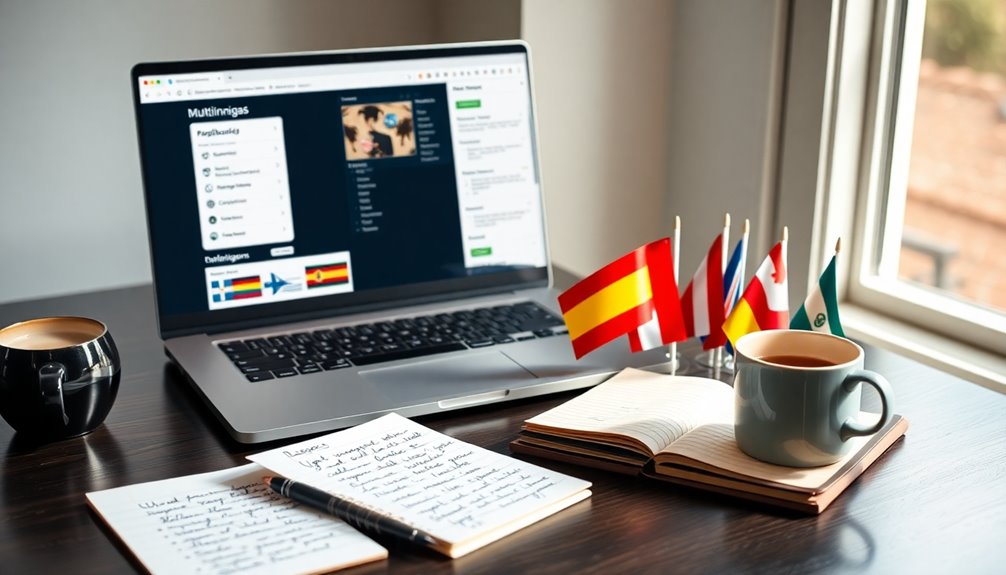
How do you choose the right multilingual plugin for your WordPress site? The options can be overwhelming, but focusing on key factors can simplify your decision.
Here are four essential considerations:
- Plugin Compatibility Issues: Confirm the plugin works well with your current themes and plugins to avoid conflicts.
- User Experience Considerations: Check how easy it is for your visitors to navigate between languages.
- SEO Features: Look for plugins that support multilingual SEO practices to enhance visibility; integrating local keywords can significantly improve your search rankings.
- Support and Updates: Choose a plugin with reliable support and regular updates to keep it secure and functional.
How to Install and Configure Your Multilingual Plugin

Once you’ve selected the right multilingual plugin for your WordPress site, it’s time to install and configure it.
Start by downloading the plugin from the WordPress repository or the developer’s site. Next, upload it to your site via the dashboard and activate it.
Check for any plugin compatibility issues with your existing themes or plugins to guarantee smooth operation.
Once activated, navigate to the settings page to configure language options and enable translation memory tools. These tools can help streamline your translations by storing previously translated phrases, saving you time.
Additionally, ensure that your multilingual setup includes regular backups to protect your site’s content and translations.
Finally, save your settings and test the configuration to verify everything works as expected.
You’re now ready to start creating a multilingual experience for your visitors!
Creating and Managing Translations for Your Content
When it comes to creating and managing translations for your content, you need to choose your translation plugins wisely. You’ll also want to weigh the benefits of manual versus automated translations to find what fits best for your site. Finally, organizing your multilingual content effectively will help guarantee a seamless experience for your users. Additionally, pagination techniques can significantly enhance user experience by making content more accessible in different languages.
Choosing Translation Plugins Wisely
Choosing the right translation plugin can greatly impact your site’s multilingual experience. Consider these key factors before making your choice:
- Plugin Compatibility: Verify the plugin works well with your existing themes and other plugins.
- User Reviews: Check user feedback for insights on real-world performance and reliability.
- Support Options: Look for plugins offering robust support options to help you troubleshoot issues.
- Customization Flexibility: Choose a plugin that allows for tailored multilingual features to fit your specific needs.
Also, evaluate the performance impact on your site, update frequency for security, pricing models, scalability options, and integration capabilities.
Making an informed decision will enhance your site’s usability and reach.
Manual vs. Automated Translations
While deciding between manual and automated translations, it’s essential to understand how each method impacts your content’s quality and management.
Manual translation benefits include nuanced understanding and cultural context, ensuring your message resonates with your audience. When you choose this route, you’re likely to achieve a higher quality of content, but it can be time-consuming and costly.
On the other hand, automated translation accuracy has improved considerably, offering quick solutions for larger volumes of content. However, you might sacrifice some quality, as automated tools often miss subtleties.
Ultimately, your choice should align with your site’s goals—whether you prioritize precision and cultural relevance or speed and efficiency. Balancing both methods might also be a viable strategy.
Organizing Multilingual Content Effectively
To create an effective multilingual WordPress site, organizing your content is essential for both user experience and SEO. Here’s how to manage your translations effectively:
- Content Categorization: Group content by themes or topics to improve navigation structure.
- Language Tagging: Use language tags for each piece of content to enhance searchability and user engagement.
- Content Scheduling: Plan when to publish translations to align with cultural nuances and audience segmentation.
- Translation Consistency: Guarantee your translations maintain a consistent tone and style across languages.
Best Practices for Optimizing SEO on Multilingual Sites
When you’re optimizing SEO for a multilingual site, you need to focus on several key strategies.
Start with effective keyword research tailored to each language, then implement hreflang tags to guide search engines. Finally, don’t forget to localize your content to resonate with different audiences. Additionally, incorporating SEO best practices can significantly increase the likelihood of being found by potential readers or customers.
Keyword Research Strategies
Effective keyword research is essential for optimizing SEO on multilingual sites, as it guarantees you reach your target audience in their preferred language.
To effectively conduct your keyword research, consider these strategies:
- Use keyword tools: Identify relevant keywords based on language demographics and search intent.
- Analyze local trends: Stay updated on what’s popular in each region to capture local phrases and cultural nuances.
- Perform competition analysis: Understand which keywords your competitors rank for and assess their keyword volume.
- Focus on long tail keywords: These often have lower competition and can help you tap into specific regional phrases.
Hreflang Tag Implementation
Implementing hreflang tags is essential for ensuring search engines understand which version of your content to show to users based on their language and location.
Start by correctly setting up your hreflang tags in the header of your pages. Make sure to specify both the language and the region.
Follow hreflang best practices by using the correct ISO language codes and ensuring each tag points to the corresponding page.
After implementation, utilize hreflang testing tools like Google Search Console or third-party options to verify that your tags are working as intended.
Regularly monitor and update your hreflang tags as your site evolves to maintain peak SEO performance across your multilingual site.
Content Localization Techniques
After setting up hreflang tags, the next step involves refining your content for local audiences. This is where content localization techniques come into play.
To optimize your multilingual site for SEO, consider these best practices:
- Content Adaptation: Tailor your messaging to reflect local trends and preferences.
- Cultural Nuances: Incorporate relevant cultural references to resonate with your audience.
- Language Consistency: Guarantee terminology remains uniform across all languages for clarity and professionalism.
- Translation Workflows: Develop efficient processes for translating and updating content to maintain accuracy and relevancy.
How to Ensure Smooth Navigation Across Language Versions?
To guarantee smooth navigation across different language versions of your WordPress site, you’ll want to prioritize user experience from the start.
Focus on language consistency in your localized menus and make sure that your interface layout accommodates cultural nuances.
Consider regional dialects to make navigation intuitive for diverse users.
Implement a clear content hierarchy that guides users effortlessly through your site.
Gather user feedback to refine your navigation design and enhance multilingual UX.
Don’t overlook accessibility features, as they can greatly improve usability for all visitors. Additionally, utilizing customizable design elements can further enrich the experience for users across different languages.
Leveraging Automatic Translation vs. Human Translation
When it comes to translating your WordPress site, you’ll face a choice between automatic and human translation.
Each option has its pros and cons, and understanding them can help you make the right decision for your audience.
Let’s explore the benefits of both to see which fits your needs best. Additionally, implementing plugins can enhance the user experience by providing seamless navigation across multiple languages.
Pros Of Automatic Translation
While many businesses still rely on human translation for accuracy, automatic translation offers compelling advantages that can’t be overlooked. Here are some key pros:
- Cost Efficiency: It’s often cheaper than hiring human translators, allowing you to allocate resources elsewhere.
- Audience Reach Expansion: Automatic translation helps you connect with a global audience quickly, enhancing your market presence.
- Language Diversity Advantages: You can easily support multiple languages, catering to a broader demographic.
- User Engagement Benefits: Faster translations improve user experience, keeping visitors engaged with updated content.
Despite challenges like cultural sensitivity considerations and translation quality assessment, the benefits of automatic translation can greatly enhance your WordPress site’s effectiveness.
Benefits Of Human Translation
Although automatic translation offers speed and cost benefits, human translation brings nuances and cultural understanding that machines often miss.
When you choose human translation, you gain access to a wealth of human translation benefits that enhance your content’s impact. Native speakers understand regional dialects, slang, and idiomatic expressions, ensuring your message resonates with the target audience.
This cultural sensitivity helps you avoid potential misinterpretations, making your brand more relatable and trustworthy. Furthermore, human translators can adapt your tone and style, maintaining your brand’s voice across languages.
Choosing The Right Option
How do you choose between automatic and human translation for your WordPress site? It boils down to your goals, audience, and resources. Here are some key points to ponder:
- Speed vs. Quality: Automatic translation is faster, but human translation offers better accuracy.
- Cost: Evaluate your budget; human translation can be pricier.
- Cultural Considerations: Human translators grasp nuances and cultural contexts that machines may miss.
- Language Selection Strategies: Determine which languages are essential based on your target audience.
Setting Up Language Switchers for User Convenience
To create a seamless experience for your users, setting up language switchers is vital. A well-thought-out language switcher design enhances user accessibility, making it easy for visitors to navigate your site in their preferred language.
Consider placing the switcher in a prominent location, like the header or footer, so it’s easily visible. You can choose between dropdown menus, flags, or clickable buttons, depending on what best fits your site’s style.
Make sure the switcher is intuitive, so users can switch languages with just a click. Testing the switcher after implementation is essential to guarantee it functions smoothly across all devices. Additionally, incorporating strong security measures can help protect your site from vulnerabilities, ensuring a safe experience for all users.
This way, you’ll create a more welcoming environment for a diverse audience, encouraging them to engage more with your content.
Tailoring User Experience for Different Language Audiences
When you tailor the user experience for different language audiences, you greatly enhance engagement and satisfaction.
To effectively connect with diverse users, consider these key strategies:
- Understand User Personas: Identify the needs and preferences of different language speakers.
- Embrace Cultural Nuances: Adapt your content to reflect local customs and values.
- Account for Regional Dialects: Use language variations that resonate with your audience.
- Design for Accessibility Standards: Guarantee all users, regardless of language, can easily navigate your site.
Additionally, leveraging SEO features can help improve your site’s visibility among multilingual audiences.
How to Test Your Multilingual Site for Quality Assurance?
What’s the best way to guarantee your multilingual site meets high-quality standards? Start with thorough localization audits to confirm content accuracy and cultural nuances are well-represented.
Use testing tools to check language consistency across all pages. Gather user feedback to identify any issues that may affect the user experience.
Don’t forget to assess cross-browser compatibility; your site should look great on any browser.
Additionally, test for mobile responsiveness—more users browse on mobile devices than ever before.
Regularly updating your site based on feedback and audits will keep it in top shape. Implementing regular updates to themes and plugins can also help prevent security vulnerabilities and enhance overall performance.
Common Challenges in Building a Multilingual Site and Solutions
Building a multilingual site can be rewarding, yet it comes with its fair share of challenges.
Here are some common issues you might face and solutions to enhance user experience:
- Translation Accuracy: Guarantee you use professional translators to maintain language integrity.
- Cultural Nuances: Tailor content to reflect local customs and preferences for better audience targeting.
- Technical Challenges: Choose a robust multilingual plugin that doesn’t compromise site performance.
- Content Consistency: Regularly update translations to keep information aligned across languages.
Promoting Your Multilingual Content Effectively
Successfully maneuvering the challenges of translation and cultural nuances sets the stage for effectively promoting your multilingual content.
Leverage social media to engage diverse audiences, tailoring posts to resonate culturally. Use email marketing to reach segmented groups, ensuring personalized messages boost user engagement.
Incorporate visual storytelling to convey your brand’s message across languages, making content more relatable. Consider influencer partnerships to tap into established audiences, enhancing your reach.
Implement targeted advertising for specific demographics, utilizing cultural considerations to refine your approach.
Ultimately, don’t underestimate the power of analytics tracking; it helps you measure the success of your strategies and adjust accordingly.
Conclusion
Building a multilingual WordPress site opens doors to a broader audience, and it’s worth the effort. Did you know that 75% of consumers prefer to buy products in their native language? By implementing a multi-language strategy, you not only enhance user experience but also boost your site’s reach and potential sales. So, take the plunge and make your content accessible to everyone; it could be the key to revealing new opportunities for your business!