If you’re weighing WordPress.com against WordPress.org, think about your goals. WordPress.com is great for quick, hassle-free setups, perfect for blogging or personal sites without much maintenance. On the other hand, WordPress.org gives you complete control and customization, ideal if you’re comfortable with tech or want to monetize your site. Your decision should align with your comfort level and long-term plans. Stick around to explore the nuances that could impact your choice even further.
What Is WordPress.com and How Does It Work?
WordPress.com is a powerful platform that allows you to create and manage your website with ease. It offers a variety of blog features, making it simple to share your ideas and connect with your audience.
You can choose from numerous themes and customize your site without needing technical skills. The user experience is seamless, ensuring that you can focus on creating content rather than worrying about the backend.
With a wide array of customizable themes, WordPress.com lets you create effortlessly, so you can focus on what truly matters: your content.
With built-in social sharing, SEO tools, and analytics, you can easily track your site’s performance. Plus, WordPress.com takes care of hosting, so you won’t have to deal with those technical details. Furthermore, it provides managed WordPress hosting, which ensures optimized performance and security for your site. Whether you’re starting a personal blog or a business site, WordPress.com has the tools to help you succeed.
What Is WordPress.org and How Does It Work?
If you’re looking for complete control over your website, WordPress.org might be the solution you need. Unlike WordPress.com, WordPress.org allows you to self-host your site, giving you full freedom to customize and manage it as you wish.
With self-hosting benefits, you can choose your hosting provider, install any plugins or themes, and even monetize your site without restrictions.
Plus, as an open-source platform, WordPress.org lets you tap into a vast community of developers and resources, ensuring continuous improvements and support. This flexibility enables you to implement robust e-commerce solutions tailored to your business needs.
You’ll have the flexibility to create anything from a simple blog to a complex e-commerce site. Overall, WordPress.org is ideal for those who want to harness the full potential of their online presence.
Key Differences Between WordPress.com and WordPress.org
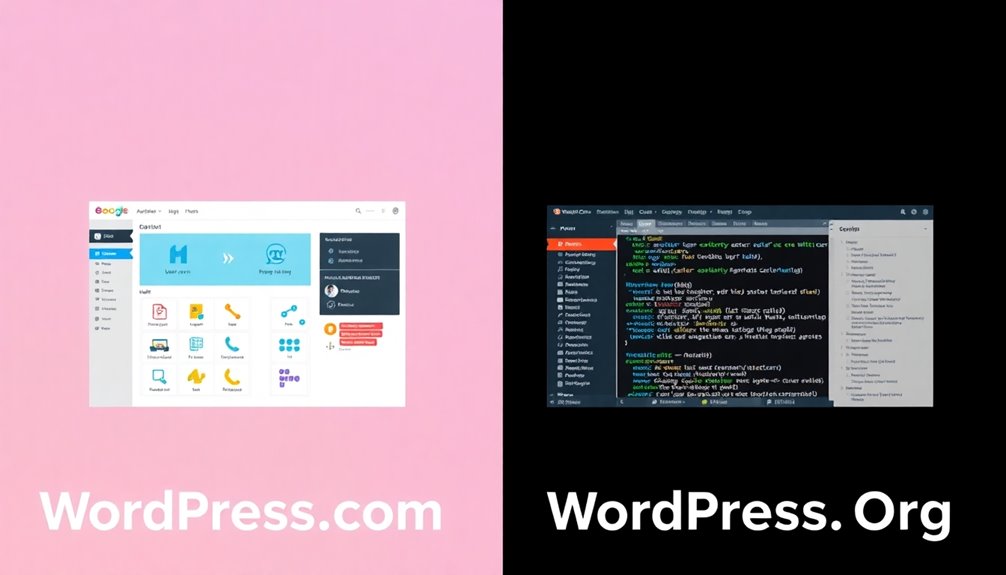
When choosing between WordPress.com and WordPress.org, it’s essential to understand their hosting options and customization flexibility.
You’ll find that WordPress.org offers more control over your site, while WordPress.com provides a more straightforward setup. Additionally, knowing the key factors that influence your choice can streamline your decision-making process.
Let’s break down these key differences to help you decide which is right for you.
Hosting Options Available
Choosing between WordPress.com and WordPress.org boils down to your hosting options, and there are significant differences.
With WordPress.org, you can select from various hosting types tailored to your needs, while WordPress.com offers limited choices.
Here’s a quick look at your options:
- Managed Hosting: Handles updates and performance optimization for you.
- Shared Hosting: Cost-effective but shares resources with other sites.
- VPS Hosting: Offers dedicated resources for better performance.
- Dedicated Hosting: Provides full control and maximum security features.
- Cloud Hosting: Scalable and reliable, perfect for growing sites.
- eCommerce Hosting: Specifically designed for online stores.
Understanding these hosting options helps you make an informed decision based on your website’s goals.
Customization Flexibility Offered
While both WordPress.com and WordPress.org offer platforms for building websites, the level of customization you can achieve varies considerably.
With WordPress.org, you have complete freedom over theme selection and can choose from thousands of themes to match your vision. You can also add custom CSS to fine-tune your site’s appearance.
Additionally, plugin integration is a game-changer; you can install any plugin to enhance functionality, whether it’s for SEO, e-commerce, or social sharing.
In contrast, WordPress.com limits your options unless you opt for a higher-tier plan. You’ll find fewer themes and restricted plugin access, which can stifle your creativity.
If customization is your priority, WordPress.org is the clear winner.
Who Should Choose WordPress.com?
Are you looking for a hassle-free way to start your website? WordPress.com might be the perfect choice for you. It’s ideal for those who want an easy setup without diving into technical details.
Here are some reasons to contemplate it:
- Quick and simple: You can get your site up and running in minutes.
- Maintenance-free: Hosting and updates are handled for you.
- Basic features included: Enjoy essential tools without extra costs.
However, keep in mind the WordPress.com limitations, like restricted customization and limited monetization options.
Be aware of WordPress.com’s limitations, such as limited customization and monetization options.
If you want a straightforward blogging experience or a personal site without the fuss, WordPress.com benefits could make it the right pick for you. Additionally, it provides a user-friendly interface that simplifies site management for non-tech users.
Who Should Choose WordPress.org?
If you want complete control over your website and the flexibility to customize it fully, WordPress.org is likely the better option for you.
With self-hosting benefits, you can choose your hosting provider, ensuring your site runs smoothly and securely. This option gives you access to advanced features, like custom themes and plugins, allowing you to tailor your site exactly how you envision it.
If you’re comfortable with a bit of technical know-how or willing to learn, WordPress.org provides the tools to enhance your site’s functionality and appearance.
Additionally, you can monetize your content in various ways without restrictions. For those serious about building a unique online presence, WordPress.org empowers you to create the website of your dreams. Furthermore, utilizing SEO plugins can significantly improve your site’s visibility and search ranking.
The Cost Comparison: WordPress.com vs WordPress.org
When evaluating the cost differences between WordPress.com and WordPress.org, it’s essential to understand what each platform offers.
WordPress.com has free plans but often includes hidden costs for premium features, leading to unexpected long-term expenses. In contrast, WordPress.org requires you to manage hosting, but it provides greater scalability options and customization.
Here are some key aspects to evaluate:
- Pricing tiers: WordPress.com offers various plans, but costs can add up quickly.
- Budget evaluations: Think about initial setup versus ongoing costs.
- Value comparisons: Weigh the benefits of flexibility in WordPress.org against WordPress.com’s ease of use.
Ultimately, your choice should align with your financial situation and long-term goals. Additionally, consider that long-term costs may be higher with WordPress.com due to limited flexibility and potential hidden fees.
Customization Options: Themes and Plugins Explained
While both WordPress.com and WordPress.org offer customization options, the level of flexibility you get markedly differs between the two.
On WordPress.org, you enjoy extensive theme selection and plugin management, allowing for deep design customization that enhances user experience. You can optimize performance, guarantee mobile responsiveness, and boost SEO capabilities, tailoring your site to reflect your brand identity. Additionally, using essential website management plugins can further streamline your site’s functionality.
Accessibility features are also more robust, making your site usable for everyone. If you’re aiming for e-commerce integration, WordPress.org provides the tools you need to create a thorough online store.
In contrast, WordPress.com limits theme selection and plugin options, restricting your ability to personalize your site fully.
Ultimately, your choice depends on how much customization you want.
Support and Community: What to Expect From Each Platform
When choosing between WordPress.com and WordPress.org, understanding the support and community options is essential.
Each platform offers different official support channels and community resources, which can greatly influence your experience.
Let’s explore what you can expect from both to help you make the best decision. Additionally, consider how strong authentication methods can enhance your site’s security while you engage with these communities.
Official Support Channels
Whether you’re using WordPress.com or WordPress.org, understanding the official support channels available can greatly enhance your experience. Each platform offers distinct resources tailored to your needs.
- WordPress.com: Access official documentation directly from your dashboard, providing step-by-step guides and tutorials.
- WordPress.org: Explore thorough official documentation on their website, covering everything from installation to plugin usage.
- User Feedback: Both platforms value your input; you can submit suggestions or report issues, helping improve their services.
Knowing where to find these resources can save you time and frustration, ensuring you get the most out of your WordPress journey.
Community Forums and Resources
In contrast, WordPress.org offers a vast array of community-driven forums and resources, including extensive documentation and tutorials.
You can ask questions, share solutions, and connect with a larger, more diverse community.
While both platforms provide valuable support, WordPress.org often has more active discussions and resources, making it easier for you to troubleshoot issues and enhance your skills.
Ultimately, your choice will shape the kind of community support you receive.
Making Your Final Decision: Which Is Right for You?
How do you choose between WordPress.com and WordPress.org? Start by evaluating your long-term goals and technical skills.
Consider how important user experience, scalability options, and content strategy are for your project. Here are some key factors to weigh:
- Budget considerations: Can you afford hosting and maintenance needs?
- Security measures: How essential is data protection for your brand?
- Future growth: Do you plan to expand your site considerably?
If you want more control over branding impact and customization, WordPress.org might be right for you. Additionally, consider the performance impact of your hosting choice, as it can significantly affect your website’s success.
Conversely, if you prefer an easier setup with less maintenance, WordPress.com could be the better choice.
Ultimately, align your decision with your needs and resources for the best outcome.
Conclusion
In the vast ocean of website creation, you’ve got two sturdy ships: WordPress.com and WordPress.org. Choosing the right one is like picking a compass for your journey. If you crave simplicity and ease, WordPress.com can be your calm harbor. But if you’re an adventurous soul seeking limitless customization, WordPress.org is the open sea. Whichever path you choose, trust your instincts, and set sail toward your online vision. Your digital adventure awaits!