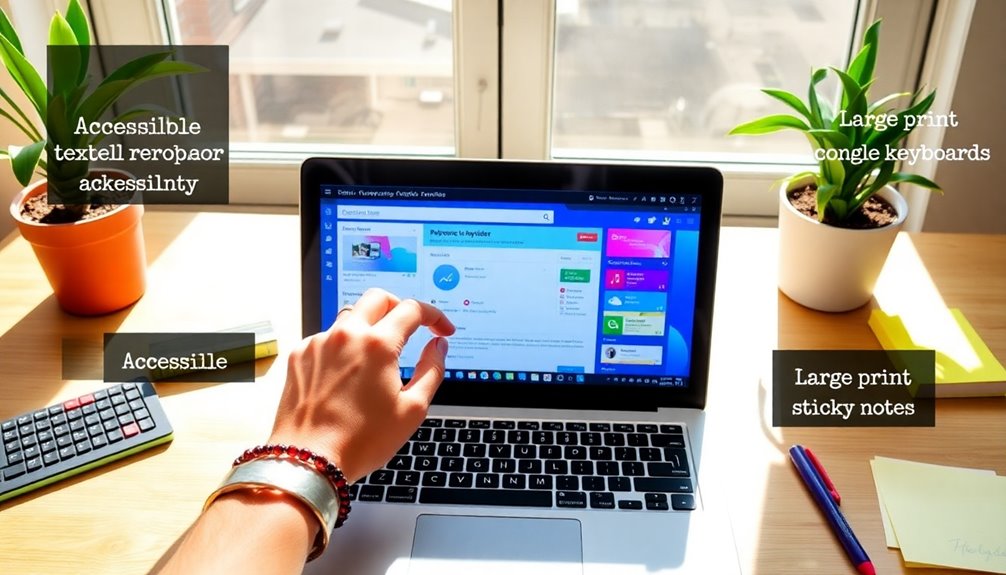
Web accessibility for WordPress isn’t just a moral duty; it’s a strategic business move. With over 1 billion people living with disabilities, making your site accessible opens up your audience and enhances the user experience. It boosts SEO, showcases your commitment to inclusivity, and can even give you an edge over competitors. Plus, compliance with legal standards prevents potential lawsuits. There’s a lot more to explore about how accessibility can transform your site and its reach.
What Is Web Accessibility and Why Does It Matter?
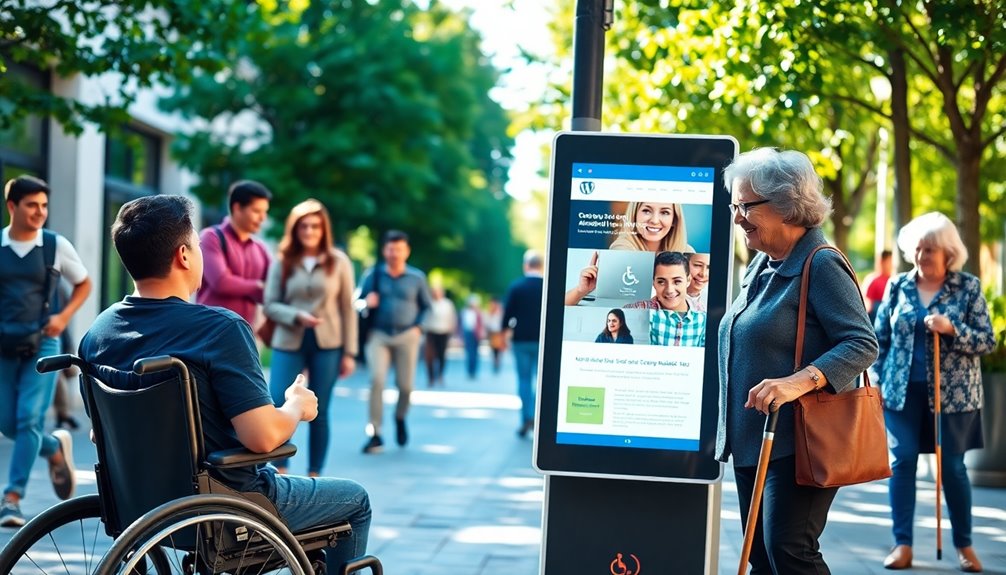
Web accessibility is all about ensuring that everyone, regardless of their abilities or disabilities, can access and navigate your website. By addressing web barriers, you create a more inclusive environment for all users.
Many people believe accessibility is only about helping those with disabilities, but that’s just one of the accessibility myths that can hinder progress. In reality, making your site accessible enhances the experience for everyone, including those with temporary impairments or using different devices.
When you prioritize web accessibility, you not only widen your audience but also improve your website’s usability and search engine rankings. Embracing accessibility is an opportunity to show your commitment to inclusivity and to foster a better online experience for all users. Additionally, implementing robust security measures, such as regular updates, ensures that your website remains safe and accessible for all visitors.
Understanding the Legal Requirements for Accessibility?

As you work towards making your WordPress site more accessible, it’s important to understand the legal framework surrounding accessibility.
Many businesses face legal obligations under laws like the Americans with Disabilities Act (ADA) and Section 508 of the Rehabilitation Act. These regulations require you to guarantee that your website is accessible to users with disabilities.
Failing to meet compliance standards can lead to lawsuits and penalties, which can harm your reputation and finances.
Familiarizing yourself with the Web Content Accessibility Guidelines (WCAG) can help you align your site with these requirements. Additionally, ensuring ongoing compliance through regular updates can protect your site against potential legal disputes.
The Business Case for Making Your WordPress Site Accessible

Making your WordPress site accessible can considerably boost your bottom line. When you prioritize accessibility, you’re not just following regulations; you’re revealing key business benefits that can set you apart. Here’s how:
- Increased Customer Loyalty: Customers appreciate brands that care about inclusivity and accessibility.
- Competitive Advantage: Stand out in a crowded market by being the go-to choice for all users.
- Enhanced Brand Reputation: An accessible site reflects positively on your brand, showcasing your commitment to all individuals.
- Expanded Audience Reach: Accessible design allows you to tap into a larger customer base, including those with disabilities. Moreover, implementing SEO optimization plugins can further enhance your site’s visibility and reach.
Key Principles of Web Accessibility You Should Know
Understanding the key principles of accessibility is essential for creating an inclusive WordPress site. Focus on design principles that prioritize user considerations, ensuring everyone can interact with your content.
Use semantic markup to enhance the structure of your content, making it easier for screen readers and assistive technologies to interpret. Implement keyboard navigation, allowing users to access your site without a mouse.
Pay attention to color contrast to support those with visual impairments. Regular accessibility audits and inclusive testing help identify barriers and improve usability. Additionally, adhering to WordPress Coding Standards ensures that your code is clean and maintainable, further enhancing accessibility features.
How Accessibility Enhances User Experience
When you prioritize accessibility in your WordPress site, you’re not just complying with guidelines; you’re actively enhancing the user experience for everyone.
By making your site accessible, you foster inclusivity and encourage user engagement, leading to a more vibrant online community.
Consider these benefits:
- Broader audience reach – Everyone can access your content, regardless of ability.
- Increased user feedback – Users feel more comfortable sharing their thoughts when they can easily navigate your site.
- Enhanced satisfaction – A seamless experience keeps visitors coming back.
- Stronger brand loyalty – Users appreciate a site that values accessibility, boosting their connection to your brand.
Additionally, implementing SEO optimization plugins can enhance your site’s visibility, attracting a more diverse audience.
The Impact of Accessibility on SEO and Search Rankings
When you prioritize accessibility on your WordPress site, you’re not just helping users; you’re also boosting your search rankings. Search engines favor sites that provide a better user experience, and accessible design plays a key role in that. Additionally, regularly updating content signals site activity to search engines, enhancing SEO effectiveness.
Accessibility Boosts Search Rankings
While many website owners focus solely on traditional SEO tactics, enhancing accessibility can greatly improve your search rankings. By aligning with search engine optimization principles, you can make your site more appealing to ranking algorithms.
Here’s how accessibility can elevate your visibility:
- Increased Reach: You’ll attract a wider audience, including those with disabilities.
- Lower Bounce Rates: Users are more likely to stay on your site if they can navigate easily.
- Enhanced Content Understanding: Accessibility features like alt text help search engines index your content better.
- Boosted Credibility: A commitment to accessibility can improve your brand’s reputation and trustworthiness.
Embrace accessibility, and you won’t just comply with guidelines—you’ll enhance your site’s performance and search rankings!
Improved User Experience Benefits
Improving accessibility not only benefits users with disabilities but also creates a smoother experience for everyone visiting your site. By implementing inclusive features and adhering to design principles, you enhance website navigation and boost content readability.
This approach encourages user engagement and fosters positive user feedback, which is essential for user retention. Utilizing accessibility tools can streamline usability testing, guaranteeing that your site meets diverse needs.
Additionally, focusing on mobile optimization guarantees that all users have access to your content, regardless of their device. As a result, you’ll see an increase in user satisfaction, leading to higher search rankings.
Investing in accessibility ultimately transforms your site into a welcoming space for all, enhancing both user experience and SEO performance.
Common Accessibility Barriers on WordPress Sites
Although many WordPress sites aim for inclusivity, several common accessibility barriers often hinder users with disabilities.
These issues can create frustration and isolation, impacting their overall experience. Here are a few common barriers you should address:
- Poor color contrast: Low contrast can make text difficult to read for users with visual impairments.
- Inadequate keyboard navigation: Users relying on keyboard navigation may struggle with interactive elements that lack focus indicators.
- Missing form labels: Without proper form labels, screen readers can’t guide users effectively, causing confusion.
- Uncaptioned videos: Video captions are essential for users who are deaf or hard of hearing; their absence excludes them from content.
Additionally, implementing accessible design features can significantly enhance the usability of your WordPress site for everyone.
Tools and Plugins to Improve WordPress Accessibility
To enhance accessibility on your WordPress site, you’ll want to explore essential plugins and tools tailored for this purpose. These resources can help you identify issues and implement solutions effectively. Additionally, implementing security measures such as malware scanning tools can further ensure your site’s integrity while improving user experience. Let’s look at some of the best options available to make your site more inclusive.
Essential Accessibility Plugins
When it comes to enhancing accessibility on your WordPress site, utilizing the right plugins can make a significant difference.
These essential tools can help you meet accessibility standards and improve user experience for everyone. Here are four must-have accessibility plugins:
- WP Accessibility: This plugin provides various features to guarantee your site meets design guidelines and supports accessibility audits.
- Accessible Poetry: It helps integrate accessibility by ensuring proper theme integration and plugin compatibility.
- One Click Accessibility: This tool simplifies adjustments based on user feedback.
- Accessibility Widget: It offers training resources and community support for ongoing improvements.
Accessibility Testing Tools
As you endeavor to make your WordPress site more accessible, employing the right testing tools can greatly enhance your efforts.
Start with automated testing tools to quickly identify issues like color contrast and keyboard navigation. These tools provide a preliminary analysis, but don’t rely solely on them.
Manual evaluation is essential for understanding real-world usability. Engage users for feedback to identify areas for improvement, particularly for assistive technologies and screen readers.
Incorporate compliance checks to guarantee you meet accessibility standards and use testing frameworks that facilitate thorough usability assessments.
Together, these methods create a detailed approach that not only enhances accessibility but also enriches the experience for all users.
Best Practices for Designing Accessible WordPress Themes
Designing accessible WordPress themes isn’t just a best practice; it’s essential for reaching a wider audience.
By implementing these best practices, you can create a more inclusive experience:
- Responsive design: Confirm your theme looks great on all devices, enhancing mobile accessibility.
- Color contrast: Use high-contrast color combinations to improve readability for users with visual impairments.
- Keyboard navigation: Make certain all interactive elements are accessible via keyboard to accommodate users with mobility challenges.
- Semantic markup: Utilize HTML5 elements and ARIA landmarks to improve screen reader compatibility, confirming users can navigate your site easily.
Moreover, focusing on clean and elegant design ensures that your accessible themes remain visually appealing and user-friendly.
How to Create Accessible Content for Your Audience
Creating accessible content means using clear language that everyone can understand. You should also optimize your alt text for images and implement proper headings to improve navigation. Additionally, utilizing essential SEO tools can enhance your site’s accessibility and visibility for all users.
Use Clear Language
When you prioritize clear language in your content, you make it easier for everyone to engage with your message.
Using plain language isn’t just about simplicity; it’s about creating a user-friendly experience that resonates with your audience.
Here’s how you can evoke emotion through your writing:
- Share personal stories that relate to your topic.
- Use vivid imagery to paint a picture in your reader’s mind.
- Incorporate questions that encourage readers to reflect on their experiences.
- Connect emotionally by addressing common struggles or aspirations.
Optimize Alt Text
Alt text is essential for making your WordPress content accessible to everyone, and it’s not just a technical requirement—it enhances the user experience.
To optimize your alt text, start by implementing effective alt text strategies. Describe the image’s purpose and context clearly, avoiding vague phrases like “image of.” Instead, use specific image description techniques that convey the essential information. For example, instead of saying “dog,” you might say “a golden retriever playing fetch in a park.”
Keep it concise, ideally under 125 characters, to guarantee screen readers can communicate the content effectively. By using thoughtful alt text, you not only boost accessibility but also improve your site’s SEO, making it a win-win for both users and search engines.
Implement Proper Headings
Properly implementing headings in your WordPress content not only organizes your material but also enhances accessibility for all users.
By using a clear heading hierarchy and semantic markup, you make it easier for everyone to navigate your site.
Here are four emotional benefits of doing so:
- Empowerment – Users with disabilities can navigate confidently.
- Inclusion – Everyone feels welcome and valued in your digital space.
- Clarity – Readers find information quickly, reducing frustration.
- Engagement – Well-structured content keeps users coming back.
Testing Your Site for Accessibility Issues: A Step-by-Step Guide
Testing your site for accessibility issues is essential for guaranteeing that all users, regardless of their abilities, can navigate and interact with your content effectively.
Start with automated testing tools to quickly identify common issues, but don’t stop there. Conduct manual testing to catch nuances that machines might miss, focusing on design considerations that affect user experience.
Begin with automated tools for quick insights, then follow up with manual testing to uncover subtle design nuances.
Create user personas to guide your testing process, making sure you consider the needs of diverse visitors. Gather user feedback to understand real-world challenges.
Perform accessibility audits using a compliance checklist to confirm you meet standards. Finally, track performance metrics to evaluate improvements over time, making adjustments as necessary to enhance accessibility for everyone.
The Role of Alt Text and Image Descriptions in Accessibility
When you add images to your WordPress site, alt text and image descriptions play an essential role in making your content accessible.
They not only help visually impaired users understand your visuals but also improve your site’s SEO.
Let’s explore how to craft effective alt text and descriptions that enhance accessibility for everyone.
Importance of Alt Text
Alt text plays an essential role in making your WordPress site accessible, especially for users who rely on screen readers.
Understanding alt text importance can transform your website experience for many. Here’s why you should prioritize effective descriptions:
- Inclusivity: Your content becomes accessible to those with visual impairments.
- SEO Benefits: Search engines use alt text to understand images, improving your site’s visibility.
- User Experience: Clear descriptions enhance the overall experience for all users, not just those with disabilities.
- Legal Compliance: Following accessibility guidelines helps you avoid potential legal issues.
Crafting Effective Image Descriptions
To create an inclusive online experience, you need to craft effective image descriptions that resonate with all users. This means utilizing strong image captioning techniques and descriptive language usage to convey the essence of your visuals.
Start by clearly describing what’s in the image, focusing on key elements that a sighted user would notice. Avoid jargon and keep it simple, ensuring that your descriptions are easy to understand.
Remember, alt text should complement the image, not repeat its content. Think about the context and purpose of the image—this helps you create meaningful descriptions that enhance accessibility.
Engaging All Users: The Importance of Inclusive Design
Inclusive design isn’t just a nice-to-have; it’s essential for engaging all users effectively. By adopting universal design principles, you create an inclusive user experience that addresses diverse user needs.
When you prioritize accessible navigation, you not only enhance usability but also foster a sense of belonging.
Consider these four powerful benefits of inclusive design:
- Wider Reach: Attract users from various backgrounds and abilities.
- Increased Loyalty: Users appreciate brands that prioritize accessibility.
- Enhanced Creativity: Diverse perspectives lead to innovative solutions.
- Improved SEO: Accessible websites rank better in search engines.
Future Trends in Web Accessibility for WordPress Sites
As web accessibility continues to evolve, WordPress sites must adapt to emerging trends that enhance user experiences for everyone.
You’ll see a surge in accessibility innovations driven by emerging technologies like AI and machine learning, making it easier to guarantee compliance with future guidelines. Incorporating these tools can streamline the process of identifying and fixing accessibility issues.
Additionally, adopting inclusive design principles will become increasingly important, encouraging you to create content that’s usable by all individuals, regardless of their abilities.
Conclusion
In a world where your website could either shine like a beacon of inclusivity or crumble into the shadows of neglect, choosing accessibility is a no-brainer! By embracing a11y for your WordPress site, you’re not just checking a box—you’re opening the floodgates to an ocean of opportunities. Imagine skyrocketing your user engagement and loyalty while boosting your bottom line! So, let’s roll up our sleeves and make your site a welcoming haven for everyone—because accessibility isn’t just an option; it’s your superpower!