


Last updated: · By Ryan Walsh
To protect your WordPress site from SQL injection attacks, keep your core, themes, and plugins updated. Use prepared statements in your code to separate SQL commands from user inputs. Regularly back up your site and monitor logs for unusual activity, like sudden spikes in traffic. Control user permissions carefully, and choose secure themes. Educate your team about security practices to strengthen your defense. There’s a lot more you can do to enhance your site’s security.
Understanding SQL Injection and Its Risks
Understanding SQL injection is essential because it poses significant risks to your WordPress site. Attack vectors targeting SQL databases can exploit vulnerabilities, leading to data exposure and unauthorized access.
Familiarizing yourself with SQL injection methods is vital for effective risk assessment. Implementing prevention techniques, like database sanitization, helps protect your site from these threats.
Regular vulnerability scanning allows you to identify and address potential weaknesses proactively. Real-world examples illustrate how devastating these attacks can be, emphasizing the need for robust mitigation strategies. Additionally, utilizing top security plugins can enhance your site’s defenses against such vulnerabilities.
By employing security frameworks, you can create a layered defense against SQL injection. Prioritizing these measures not only safeguards your data but also strengthens your overall site integrity.
Don’t wait; act now to protect your WordPress site.
Common Signs Your Site May Be Compromised

How can you tell if your WordPress site is compromised? Look out for malicious redirects that send visitors to unfamiliar sites.
You might notice unusual login attempts or unfamiliar user accounts popping up. Keep an eye on unexpected database changes, as they can signal unauthorized access attempts.
Strange error messages or frequent downtime can also indicate trouble. If your site experiences a high server load without clear reasons, it could be a sign of compromise.
Additionally, check for altered files or suspicious plugins that weren’t installed by you. If you notice any of these signs, act quickly to secure your site and prevent further damage. Implementing security plugins like Wordfence can help monitor your site for vulnerabilities.
Staying vigilant is key to maintaining your website’s integrity.
Keeping WordPress and Plugins Updated
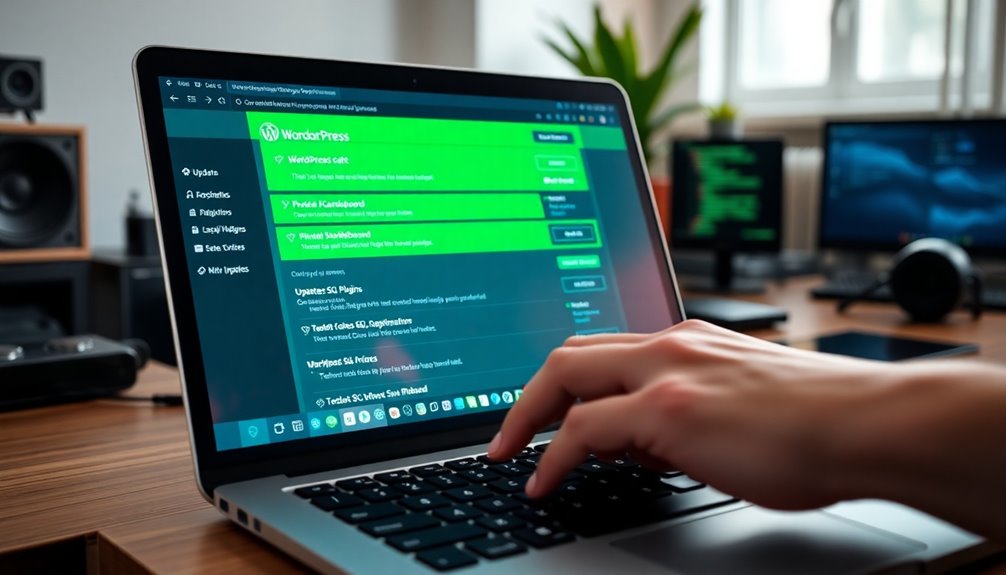
To keep your WordPress site secure, regularly updating both the core software and plugins is vital. This proactive approach not only enhances security but also improves site performance.
Regularly updating your WordPress core and plugins is essential for boosting security and enhancing site performance.
Here are some key strategies to take into account:
- Update Schedules: Set up a routine for regular updates to guarantee you don’t miss critical security patches.
- Backup Strategies: Always back up your site before updates, so you can easily restore it in case of issues.
- Plugin Compatibility: Check for plugin conflicts after updates to maintain smooth functionality.
Additionally, conducting vulnerability assessments and practicing user education helps you stay ahead of potential risks. Implementing regular backups ensures that you can quickly recover your site in the event of a security breach or update failure.
Choosing Secure Themes: What to Look For
When selecting a theme for your WordPress site, what should you prioritize to guarantee security? Start with theme validation to confirm it’s been properly reviewed and tested.
Look for themes that offer regular updates, as these often include security patches. You’ll also want to check theme performance; a well-optimized theme not only loads faster but can also reduce vulnerabilities.
Verify compatibility with your plugins and WordPress version to avoid conflicts that could lead to security issues. Additionally, solid theme support can be a lifesaver if you encounter problems.
Finally, choose themes that emphasize theme security, as this highlights the developer’s commitment to protecting your site from potential threats. Investing in security plugins not only safeguards against malicious activities but also ensures compliance with customer data protection laws.
Implementing Prepared Statements in Your Code
When it comes to securing your WordPress site, using prepared statements can make a big difference. They help you avoid SQL injection by separating SQL code from user input. Let’s explore the advantages of prepared statements and how you can implement them in your WordPress plugins. Additionally, local searches account for 46% of all Google searches, making it essential to ensure your site is secure and trustworthy to retain organic traffic.
Advantages of Prepared Statements
Implementing prepared statements in your WordPress code not only enhances security but also improves performance. By following SQL best practices, you can guarantee database integrity and streamline your development process.
Here are some key advantages:
- Improved Security: Prepared statements protect against SQL injection by separating user input from queries, ensuring proper data sanitization.
- Enhanced Query Efficiency: These statements allow the database to optimize execution plans, resulting in faster queries.
- Better Error Handling: Implementing prepared statements makes debugging easier, as errors are more predictable and manageable.
Implementing in WordPress Plugins
Prepared statements are a game changer for WordPress plugin development, greatly boosting security and performance. By implementing them, you can effectively mitigate plugin vulnerabilities related to SQL injection.
Start by ensuring robust code sanitization for all user input, which is essential for database security. Utilize best practices during your coding process, like incorporating error handling to manage potential issues gracefully.
When working with third-party plugins, always conduct thorough security audits to identify any risks. Additionally, leverage testing frameworks to validate your implementation and assess any performance impact.
Using Security Plugins to Enhance Protection
Using security plugins can greatly boost your WordPress site’s defenses against SQL injection.
You’ll want to explore the top options available, make sure you configure their settings correctly, and keep them updated regularly. This proactive approach not only enhances your site’s security but also keeps you one step ahead of potential threats, especially given that over 40% of all websites are powered by WordPress, making it a prime target for cyberattacks.
Top Security Plugins Available
When it comes to safeguarding your WordPress site from SQL injection attacks, security plugins act as your first line of defense.
Choosing the right plugin is essential, so consider these top security plugins:
- Wordfence: Offers robust firewall protection and real-time threat intelligence.
- Sucuri Security: Great for malware scanning and has excellent user reviews.
- iThemes Security: Provides extensive security features with helpful installation guides.
When doing a plugin comparison, pay attention to performance impact and compatibility issues.
Also, look for regular plugin updates to keep your site protected.
While premium options often provide advanced features, free alternatives can be effective as well.
Remember to check user reviews and configuration tips to maximize your security efforts.
Configuring Plugin Settings Properly
Choosing the right security plugin is just the beginning; configuring its settings properly is where the real protection happens.
Start by checking plugin compatibility with your WordPress version to avoid any conflicts. Focus on settings optimization to maximize security features while minimizing performance impact.
Utilize user role management to restrict access based on necessity, reducing potential plugin vulnerabilities. Follow the configuration guidelines provided in the plugin documentation to guarantee you’re setting everything up correctly.
Enable automated updates to keep your security measures current without manual intervention.
Finally, conduct regular security audits to identify any weaknesses in your setup. This proactive approach guarantees your WordPress site remains resilient against SQL injection attacks.
Regular Updates and Maintenance
To effectively safeguard your WordPress site from SQL injections, regular updates and maintenance are essential. Keeping everything current not only enhances security but also improves performance.
Consider these key strategies:
- Update frequency: Set a schedule for regular updates of plugins, themes, and the core WordPress software.
- Plugin reviews: Regularly review your installed plugins for vulnerabilities and make sure they’re reputable.
- Security audits: Conduct routine security audits and vulnerability scanning to identify potential risks.
Additionally, establish a solid backup strategy and provide user training to minimize human error.
Regular Backups: Your Safety Net Against Attacks
While you might think your WordPress site is secure, regular backups are essential for safeguarding your data against SQL injection and other potential threats.
Implementing backup automation can simplify your backup frequency, ensuring you don’t miss significant updates. Use reliable backup storage solutions, like cloud options, to enhance data integrity and disaster recovery capabilities.
Employ encryption methods to protect your backups from unauthorized access. Don’t forget to establish version control, allowing you to restore previous states if necessary. Furthermore, over 40% of WordPress sites face hacking threats, highlighting the necessity of consistent backups.
Regularly perform backup testing to confirm that your restore processes work smoothly. By prioritizing these practices, you’ll create a robust safety net that keeps your site safe and gives you peace of mind in case of an attack.
Setting Up Proper User Permissions and Roles
After setting up regular backups, the next step in fortifying your WordPress site involves setting up proper user permissions and roles.
Proper role management helps you define user roles and establish permission levels, enhancing access control and user accountability.
Consider these key points:
- Define user roles: Clearly outline role definitions to limit user access based on their responsibilities.
- Conduct permission audits: Regularly review permissions to prevent privilege escalation and guarantee compliance with security policies.
- Implement security best practices: Set up restrictions to minimize risks, reducing the chances of SQL injection attacks. Additionally, ensure that you are aware of the importance of backups as a fundamental security measure to protect your site from potential threats.
Monitoring Your Site for Unusual Activity
To keep your WordPress site secure, monitoring for unusual activity is vital. Regularly analyzing logs and tracking traffic patterns can help you spot potential threats early. Setting up an alert system guarantees you’re notified right away if something suspicious occurs. Additionally, consider enabling debugging mode to identify any errors or anomalies that may indicate a security issue.
Regular Log Analysis
Regular log analysis is essential for identifying unusual activity on your WordPress site, as it helps you spot potential SQL injection attempts before they escalate.
By regularly reviewing your logs, you can track anomalies and enhance your site’s security. Here are some key aspects to contemplate:
- Log frequency: Determine how often you’ll analyze logs for timely detection.
- Log tools: Utilize tools that format and simplify log analysis for easier insights.
- Log retention: Keep logs for an appropriate duration to guarantee you have historical data for investigations.
Traffic Pattern Monitoring
Monitoring your site’s traffic patterns is essential for spotting unusual activity that could indicate potential SQL injection attempts. By conducting regular traffic analysis, you can identify anomalies through pattern recognition and anomaly detection techniques.
Keep an eye on your access logs to track user behavior, looking for unexpected traffic spikes that might signify an attack. Data visualization tools can help you better understand these patterns and highlight any irregularities.
Incorporating security audits into this process strengthens your risk assessment and enhances your overall security posture. Develop response strategies based on your findings to address any suspicious activity promptly.
Proactively monitoring traffic patterns guarantees you stay ahead of potential threats and maintain a secure WordPress environment.
Alert System Setup
Setting up an alert system is essential for keeping your WordPress site safe from SQL injection attempts.
By monitoring your site for unusual activity, you can quickly respond to potential threats. Here’s how to get started:
- Set security thresholds: Define what constitutes normal traffic and behavior for your site.
- Configure alert notifications: Use plugins or tools that send you immediate alerts when suspicious activity occurs.
- Log and review alerts: Regularly check alert history to refine your security measures.
Educating Your Team on Security Best Practices
While you may have strong security measures in place, educating your team on best practices is essential for maintaining a robust defense against SQL injection attacks.
Implement regular security training sessions and team workshops to foster threat awareness. Discuss incident response strategies and emphasize the importance of phishing prevention techniques.
Teach effective password management practices to guarantee robust user behavior and minimize risks. Incorporate firewall education to enhance their understanding of network security.
Conduct regular risk assessments to identify vulnerabilities and align with compliance guidelines. Additionally, ensure your team understands the importance of regular updates to WordPress core, themes, and plugins to mitigate potential security threats.
Conclusion
To truly safeguard your WordPress site from SQL injection attacks, remember that “an ounce of prevention is worth a pound of cure.” By staying updated, choosing secure themes, and monitoring your site, you can greatly reduce risks. Regular backups and proper user permissions are essential, too. Educate your team on security best practices to create a strong defense. Taking these proactive steps today can save you from major headaches tomorrow. Stay vigilant!