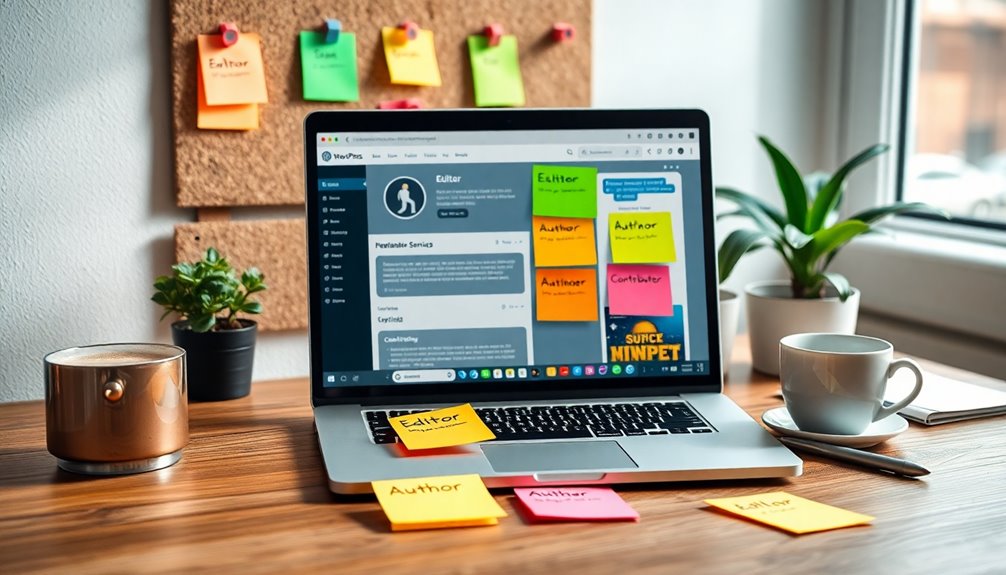
To scale your content production with WordPress user roles, clearly define each role’s responsibilities and permissions. This guarantees everyone knows their tasks, reducing confusion and bottlenecks. Utilize Administrators for site oversight, Editors to maintain quality standards, and Authors for compelling content creation. Regularly review user roles and provide training to maximize efficiency. By mastering these user roles, you’ll streamline collaboration and boost productivity. You’ll discover more strategies for success as you explore further.
Understanding WordPress User Roles: A Quick Overview

In the world of WordPress, user roles act as the backbone of your site’s security and functionality. Understanding the user role hierarchy is essential for managing access and permissions effectively. Each role, from Administrator to Subscriber, has specific capabilities that determine what users can do on your site.
This hierarchy helps you maintain control over your content and user interactions. Moreover, role customization allows you to tailor these user roles to fit your unique needs. You can add or remove capabilities, ensuring that each user has exactly the access they require without overstepping boundaries. Additionally, implementing strong user credentials is crucial to protect against unauthorized access and maintain the integrity of your site.
Why Do User Roles Matter for Content Production?

User roles are essential in streamlining your content production process. Additionally, user-friendly interface enables team members to manage and contribute content efficiently, ensuring a smooth workflow.
Streamlined Workflow Management
When you assign specific user roles in WordPress, you create a more efficient content production process.
By establishing a clear role hierarchy, you define who’s responsible for each step, from drafting to content approval. This means writers can focus on creating quality content while editors review and approve it without stepping on each other’s toes.
You’ll eliminate confusion and reduce bottlenecks, allowing your team to work seamlessly. As each role has its own capabilities, you can easily manage permissions, ensuring that only the right people have access to sensitive tasks.
Streamlined workflow management not only boosts productivity but also enhances accountability, making it easier to track progress and maintain quality throughout your content production cycle.
Enhanced Collaboration Opportunities
While effective communication is essential for any team, clearly defined user roles in WordPress take collaboration to the next level.
When you align roles properly, everyone knows their responsibilities, which fosters accountability and reduces confusion. This clarity enhances the use of collaborative tools, allowing writers, editors, and managers to work seamlessly together.
For instance, editors can focus on quality control while writers concentrate on content creation, ensuring that projects move forward efficiently.
By leveraging role alignment, you create an environment where feedback flows easily and improvements happen faster.
Ultimately, this structured approach not only boosts productivity but also enriches the creative process, leading to high-quality content that meets your audience’s needs.
The Role of Administrators: Setting the Stage for Success

As an administrator, you play an essential role in defining responsibilities and managing user permissions effectively.
Your decisions set the stage for streamlined workflow processes that enhance productivity. Additionally, implementing security best practices can further safeguard your content production against potential threats.
Defining Administrator Responsibilities
Understanding the responsibilities of an administrator is essential for maintaining a successful WordPress site. As an administrator, you’re tasked with critical administrator tasks that shape your site’s overall functionality. Your role expectations include managing site settings, updating plugins and themes, and ensuring security measures are in place.
You should also oversee user accounts, granting appropriate access levels to contributors and editors while monitoring their work. Additionally, you’ll handle content organization, ensuring everything is optimized for search engines.
Managing User Permissions Effectively
With a solid grasp on an administrator’s responsibilities, you can now focus on managing user permissions effectively.
Start by establishing a clear permission hierarchy that aligns with your team’s needs. This helps prevent user role conflicts that can arise when permissions overlap or are too vague.
Assign roles based on specific tasks; for example, editors should have different permissions than contributors. Regularly review these roles to guarantee they still meet your operational goals, especially as your team grows or changes.
Communication is key—make certain everyone understands their permissions and the importance of adhering to them.
Streamlining Workflow Processes
To streamline workflow processes effectively, administrators must establish clear guidelines and communication channels that enhance collaboration.
By implementing workflow optimization strategies, you can guarantee that each team member understands their responsibilities and how their role fits into the larger picture. This clarity reduces confusion and speeds up content production.
Role-specific training is essential, too. By equipping team members with the skills they need for their specific tasks, you foster efficiency and confidence.
Regular check-ins and feedback loops will help maintain alignment and address issues promptly. Encourage open communication, so everyone feels comfortable sharing ideas and suggestions.
With these strategies in place, you’ll set the stage for a more efficient and productive content creation process.
Editors: The Gatekeepers of Quality Control
As you navigate the complexities of content management in WordPress, editors play an essential role in maintaining quality and coherence across your site. They’re the gatekeepers of your editorial standards, ensuring every piece aligns with your brand’s voice and message.
Editors conduct thorough content reviews, checking for clarity, grammar, and overall flow. They also provide constructive feedback to authors, helping them improve their writing and adhere to these standards.
By overseeing this process, you can prevent low-quality content from reaching your audience, ultimately enhancing your site’s credibility. With skilled editors in place, you can confidently scale your content production while preserving the high-quality expectations your audience deserves. Additionally, integrating security measures like malware scanning tools can further protect your content from potential threats.
Embrace their expertise to elevate your content strategy.
Authors: The Creative Minds Behind Your Content
Authors are the creative minds behind your content, crafting engaging narratives that resonate with your audience. They bring a distinct authorial voice to your platform, ensuring that each piece reflects your brand’s personality.
By exploring various content styles, they keep your audience intrigued and enthusiastic for more. Through creative collaboration with editors and contributors, authors refine their ideas, enhancing the overall quality of your content.
Maintaining writing consistency across all posts is vital for building trust and recognition. By focusing on audience targeting, authors can tailor their content to meet specific interests and needs.
Monitoring engagement metrics helps them understand what works, allowing for continuous improvement. Furthermore, understanding SEO best practices is essential for authors to enhance the visibility and reach of their content. Fundamentally, your authors are pivotal in driving effective content production and connecting with your audience.
Contributors: How Can They Enhance Your Workflow?
While your authors craft the core narrative, contributors play a crucial role in enhancing your workflow by bringing diverse perspectives and expertise to the table.
By leveraging their unique insights, you can enrich your content and appeal to a broader audience. Contributor benefits include increased creativity, fresh ideas, and specialized knowledge that can elevate your overall messaging.
Furthermore, they can help streamline your process by tackling specific topics, which allows your authors to focus on deeper narratives. This collaboration not only fosters innovation but also promotes workflow improvement by distributing tasks effectively. Additionally, utilizing top SEO optimization plugins can help ensure your content reaches a wider audience through better search visibility.
As a result, you’ll see a more efficient content production cycle, ensuring your audience receives valuable and engaging material consistently.
Custom User Roles: Tailoring Access to Fit Your Needs
Customizing user roles in WordPress allows you to tailor access and permissions to fit your specific needs. By creating custom user roles, you can assign tailored capabilities that match your team’s workflow.
For instance, if you have a group of freelancers, you can set custom permissions that restrict access to sensitive areas while allowing them to contribute content freely. This guarantees everyone has the right tools without stepping on each other’s toes.
You can also limit editing rights to senior team members, enhancing security and maintaining content quality. With the right setup, you’ll streamline your content production process, making collaboration smoother and more efficient. Additionally, ensuring that only authorized users have access to sensitive areas can significantly improve site security by reducing the risk of unauthorized changes.
Embrace the power of custom user roles to optimize your WordPress site today.
Developing a Clear Workflow With User Roles
To develop a clear workflow with user roles in WordPress, it’s essential to define each role’s responsibilities and permissions.
Start by identifying who’ll create, edit, and publish content, ensuring there’s role clarity throughout your team. Assign specific tasks based on the user roles you’ve set, which helps streamline processes and promotes workflow automation.
For instance, content creators should focus on writing, while editors handle revisions and approvals. This division not only increases efficiency but also reduces confusion.
Regularly review and adjust roles as your team grows or changes, keeping your workflow agile. By establishing a structured approach, you can effectively scale your content production while maintaining high-quality standards. Additionally, utilizing WordPress user roles can help enforce security protocols and prevent unauthorized access to sensitive content.
Best Practices for Assigning User Roles in WordPress
A well-defined workflow sets the stage for effective user role assignment in WordPress.
To implement role assignment strategies, first assess your team’s skills and responsibilities. Identify who needs access to what features based on your user role hierarchy. For instance, editors should manage content while authors create it.
It’s essential to avoid over-assigning roles; limiting permissions can prevent errors and security risks. Regularly review role assignments to guarantee they align with your evolving content production needs.
Additionally, provide training for users to maximize their understanding of their roles. By following these practices, you’ll streamline processes and enhance collaboration, making your WordPress environment more efficient and productive. Furthermore, maintaining regular updates on user roles and permissions ensures that your site remains secure and efficient as your content team grows.
Collaborating Effectively Across Different User Roles
When you’re working with a team in WordPress, it’s essential to define each user’s responsibilities clearly. This clarity helps everyone understand their roles and streamlines communication channels, making collaboration smoother. Additionally, having effective communication with various stakeholders ensures that everyone’s input is considered, fostering a more collaborative environment.
Defining User Responsibilities
Effective collaboration across different WordPress user roles hinges on clearly defined responsibilities. Establishing role clarity is essential to guarantee everyone knows what’s expected of them. For instance, editors should focus on content strategy and quality, while contributors are tasked with writing and submitting drafts.
By distributing responsibilities effectively, you minimize overlap and confusion, allowing for a smoother workflow.
It’s also helpful to document these responsibilities in a shared space where everyone can access them. This way, team members can refer back to their roles and understand who to approach for specific tasks or questions.
When everyone understands their part in the process, your content production can scale efficiently, leading to higher quality output and a more cohesive team dynamic.
Streamlining Communication Channels
To collaborate effectively across different user roles in WordPress, you need to establish streamlined communication channels that facilitate timely and clear exchanges.
Start by implementing communication tools like Slack or Trello, which allow team members to share updates and ideas instantly. Create dedicated channels for specific projects, ensuring everyone stays informed.
Establish feedback loops where editors, writers, and designers can easily provide input on content drafts, fostering a collaborative environment. Regular check-ins can also enhance communication, helping to address any concerns or roadblocks promptly.
Tools and Plugins to Manage User Roles Efficiently
Although managing user roles in WordPress can seem challenging, several tools and plugins simplify the process. User role plugins like User Role Editor allow you to customize roles and set role-based permissions effortlessly.
These role management tools enhance user access control, guaranteeing that each user has the appropriate capabilities. Additionally, workflow automation tools streamline content approval processes, making collaboration smoother.
You can also implement effective role assignment strategies to guarantee responsibilities are clear. With user role customization, tailoring access for different team members becomes a breeze.
Measuring Content Production Success With User Roles
Measuring content production success with user roles is essential for understanding how effectively your team collaborates. By analyzing user engagement metrics, you can identify which roles contribute most to audience interaction.
For instance, if editors consistently produce high-engagement content, it’s a sign they’re effectively guiding writers.
Additionally, conducting content quality analysis helps you evaluate the impact of different roles on the overall standard of your output. Look for trends in the types of content that resonate best with your audience and adjust roles accordingly.
Common Challenges With User Roles and How to Overcome Them
Steering user roles in WordPress can be tricky, especially when it comes to understanding permissions and overlapping responsibilities.
You might find that some users have access they shouldn’t, while others feel limited in their capabilities.
Let’s explore these common challenges and how you can effectively address them.
Misunderstanding Role Permissions
When it comes to managing user roles in WordPress, many users often struggle with understanding the specific permissions associated with each role. This misunderstanding can lead to permission conflicts that disrupt your content production process.
Each role sits within a role hierarchy, meaning some roles inherit permissions from others. For instance, an Editor can perform more actions than an Author, but not everyone realizes this structure. If you assign roles without grasping these nuances, you may inadvertently limit a user’s capabilities or grant excessive access.
To overcome this challenge, familiarize yourself with the role hierarchy and carefully review each role’s permissions. Doing so will help you optimize your team’s workflow and guarantee everyone has the right level of access.
Overlapping Responsibilities Issues
Misunderstanding role permissions can lead to overlapping responsibilities, creating confusion and inefficiencies within your team. When you experience role overlap, responsibility confusion can arise, leading to accountability issues.
To tackle these challenges, prioritize role clarity by clearly defining each user role’s tasks and permissions. Establish a system for task delegation to guarantee everyone knows their responsibilities, reducing the risk of workflow disruption.
Regularly review and communicate any updates to roles to close potential communication gaps. Implementing these strategies can considerably minimize process inefficiencies, allowing your team to function smoothly.
Future-Proofing Your Content Strategy With User Roles
As you consider the long-term success of your content strategy, leveraging WordPress user roles can be a game changer. By defining clear roles, you can create a streamlined workflow that encourages collaboration and creativity.
This not only guarantees accountability but also helps in producing future-ready content that adapts to changing trends and audience needs. An agile content strategy becomes possible when your team members focus on their strengths, whether they’re writers, editors, or designers.
With defined roles, you can easily scale your production efforts, allowing for a more efficient process. Embrace these user roles to empower your team and future-proof your content strategy, guaranteeing it remains effective in an ever-evolving digital landscape.
Conclusion
In the ever-evolving landscape of content production, leveraging WordPress user roles is like crafting a symphony—each role plays a pivotal note, harmonizing creativity and quality. By embracing this structured approach, you’re not just scaling your output; you’re orchestrating a masterpiece that resonates with your audience. Don’t let the chaos of content overwhelm you. Instead, empower your team, fine-tune your processes, and watch your content flourish like wildflowers in spring. Your success story is just a role away!