

Last updated: · By Ryan Walsh
To add a notification bar to your WordPress site, start by choosing a suitable plugin like Hello Bar that fits your needs. Install it through your WordPress dashboard, then customize the design to match your branding and create clear calls to action. Make sure to segment your audience for targeted messaging and track performance metrics like click-through rates. By following these steps, you can effectively engage your visitors. You’ll find even more tips to enhance your notification bar and boost conversions.
Why Use a Notification Bar on Your WordPress Site
A notification bar can greatly enhance user engagement on your WordPress site. By strategically placing it, you can capture visitor feedback and guide user behavior effectively.
Clear messaging and a strong call to action can boost conversion rates, encouraging visitors to take the desired steps. Plus, it aids in user retention by keeping your audience informed about important updates or promotions. Incorporating SEO optimization plugins can further enhance the effectiveness of your notification bar by targeting the right audience.
Prioritizing design aesthetics guarantees the notification bar complements your site while maintaining message clarity. Don’t forget about mobile optimization—many users access sites on their phones, so a responsive design is essential.
Key Features of an Effective Notification Bar
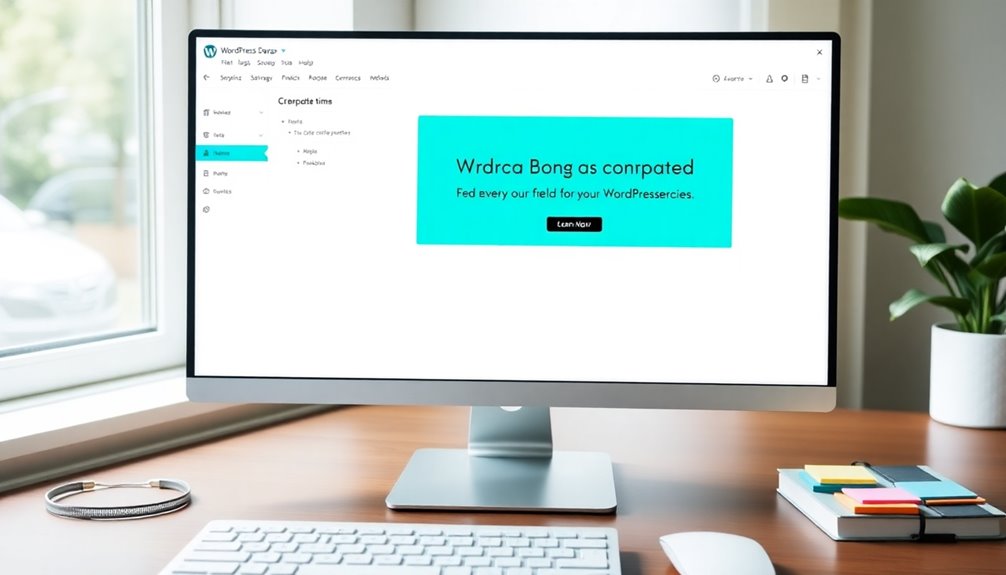
To make the most of your notification bar, focus on its key features. First, guarantee the notification design has strong visual appeal to grab attention without overwhelming your audience.
Use clear and compelling calls to action to boost user engagement and improve conversion rates. Content relevance is vital; tailor your messages to fit your audience’s needs and interests.
Clear and compelling calls to action, tailored to your audience’s interests, significantly enhance engagement and conversion rates.
Consider audience segmentation to deliver personalized notifications that resonate with different user groups. Incorporating various notification types can also enhance user experience, whether it’s a banner, pop-up, or slide-in.
Finally, access analytics to track performance and refine your strategy, guaranteeing your notification bar effectively serves its purpose and drives results. Additionally, leveraging Google Analytics integration can provide valuable insights into user interactions with your notification bar.
How to Choose the Right Plugin for Your Needs
Choosing the right plugin for your notification bar can greatly impact its effectiveness and user engagement. Start by ensuring the plugin’s compatibility with your current WordPress setup. You don’t want to face technical issues later on.
Next, explore user reviews. They provide valuable insights into other users’ experiences and can reveal any potential drawbacks or benefits. Look for plugins that have high ratings and positive feedback regarding ease of use and customization options.
Additionally, consider the level of support offered by the developers; responsive support can save you time and frustration. By focusing on compatibility and user reviews, you’ll find a plugin that meets your needs and enhances your site’s performance effectively. Consider selecting plugins that offer automatic backups to protect your site’s data during implementation.
Step-by-Step: Installing Your Notification Bar Plugin
Once you’ve selected the perfect notification bar plugin, it’s time to install it on your WordPress site. Follow these steps to guarantee a smooth installation:
- Check plugin compatibility with your WordPress version to avoid conflicts.
- Download the plugin from the WordPress repository or upload it directly if you’ve purchased a premium version.
- Navigate to the Plugins section in your WordPress dashboard, and click on “Add New.”
- Activate the plugin after installation and review the user feedback to get insights on setup and features.
- Regular updates to your plugin can enhance overall website security and ensure compatibility with the latest WordPress version.
Customizing Your Notification Bar Design and Layout
Customizing your notification bar design and layout can greatly enhance user engagement on your WordPress site. Start by selecting color schemes that align with your branding, ensuring good contrast ratios for readability.
Enhancing user engagement begins with customizing your notification bar’s design and color scheme for optimal readability.
Choose typography that complements your site’s style, making your message clear and inviting. Experiment with button styles to create a compelling call to action, enticing users to click.
Consider animation effects to draw attention without being distracting. Placement options are essential; try different spots to see what captures user feedback best.
Don’t forget to incorporate seasonal themes for timely promotions, keeping your content relevant. By aligning these elements, you’ll create a notification bar that not only looks great but also drives user interaction effectively. Additionally, integrating features like malware scanning can enhance the security of your notification bar, ensuring safe user interactions.
Crafting Compelling Messages for Your Notification Bar
A well-designed notification bar can only shine if it carries a message that resonates with your audience. To craft compelling messages, focus on these key elements:
- Message Clarity: Keep your message straightforward. Avoid jargon to guarantee everyone understands it.
- Emotional Appeal: Tap into your audience’s feelings. Whether it’s excitement or concern, connect with them on a personal level.
- Urgency Cues: Create a sense of urgency. Phrases like “Limited time offer!” motivate immediate action.
- Call to Action: Clearly state what you want your audience to do next. Use phrases like “Sign up now!” to guide them.
- Additionally, ensure your notification bar is optimized for mobile responsiveness, as over 50% of web traffic comes from mobile devices.
Best Practices for Timing Your Notifications
Timing your notifications is essential for grabbing attention without being intrusive. You’ll want to take into account how long your message stays on screen and when your target audience is most active. Additionally, leveraging SEO optimization techniques can help you identify peak engagement times based on user behavior.
Optimal Display Duration
While you want your notification bar to grab attention, displaying it for too long can lead to annoyance and diminish its effectiveness.
To achieve the best timing, aim for a display duration that maximizes user engagement without overwhelming your visitors. Here are some best practices for timing your notifications:
- 3 to 5 seconds: Ideal for brief messages or alerts.
- Persistent option: Consider keeping it visible until the user interacts or dismisses it.
- Exit intent: Show your bar when users are about to leave the page.
- Timed intervals: Refresh content after a set time to keep things engaging.
Target Audience Timing
Understanding your target audience is essential when determining the best timing for your notifications. You’ll want to align your notification frequency with user behavior to maximize engagement. For instance, if your audience tends to browse during lunch breaks or evenings, schedule notifications to appear around those times.
Analyze your site’s analytics to identify peak traffic periods, and consider using A/B testing to see when notifications are most effective.
Avoid bombarding users with too many notifications; instead, aim for a balanced approach that keeps your messages relevant without overwhelming them.
Integrating Your Notification Bar With Email Sign-Ups
To effectively integrate your notification bar with email sign-ups, you’ll first need to choose an email service provider that suits your needs. Once you’ve selected one, you can customize your sign-up form to match your site’s branding and messaging. This approach not only boosts engagement but also helps you grow your email list. Additionally, utilizing SEO optimization plugins can enhance your online visibility, making it easier for potential subscribers to discover your site.
Choose Email Service Provider
Have you considered how essential it’s to choose the right email service provider for your notification bar? The right provider can enhance your email marketing efforts and streamline sign-ups.
When making your selection, think about these key factors:
- Integration: Guarantee it easily connects with your WordPress site.
- Features: Look for automation tools and analytics for better engagement.
- Pricing: Compare services to find the best value for your needs.
- Support: Reliable customer service can save you time and frustration.
Customize Sign-Up Form
Once you’ve selected the right email service provider, it’s time to customize your sign-up form for the notification bar. Start by designing a form that’s visually appealing and easy to fill out. Consider including sign-up incentives, like discounts or exclusive content, to encourage visitors to subscribe.
Next, think about form placement; it should be prominent but not intrusive. Position it in the center of the notification bar or to the right, guaranteeing it’s easily accessible.
Make certain your form fields are minimal—asking for just a name and email is often enough. Finally, test the form to verify it works seamlessly with your email service provider, making adjustments as needed to enhance user experience.
Tracking Performance: Analyzing Engagement Metrics
Analyzing engagement metrics is essential for understanding how your notification bar performs. By tracking these metrics, you can refine your engagement strategies and enhance user interaction.
Here are some key performance metrics you should focus on:
- Click-through Rate (CTR): Measures how many users clicked on your notification bar.
- Conversion Rate: Indicates how many users took the desired action after clicking.
- Impressions: Tracks how many times your notification bar was displayed to users.
- Bounce Rate: Shows how many users left your site after viewing the notification bar.
Additionally, regular updates to your SEO best practices can significantly improve the performance of your notification bar.
Troubleshooting Common Notification Bar Issues
Sometimes your notification bar mightn’t display as you expect, especially when using certain plugins.
You may also notice issues with how it looks on mobile devices.
Let’s explore some common problems and straightforward solutions to get your notification bar running smoothly. Additionally, ensure your site has strong SEO capabilities to avoid conflicts with other elements on your page.
Display Issues With Plugins
While adding a notification bar to your WordPress site can enhance user engagement, display issues often arise due to plugin conflicts.
These conflicts can affect your notification bar’s visibility settings and overall user experience. Here are some common troubleshooting tips:
- Check display settings: Verify your notification bar is set to show on the desired pages.
- Test browser compatibility: Some browsers may render your bar differently, affecting its appearance.
- Review styling options: Conflicting CSS from other plugins can alter your notification bar’s design.
- Optimize for performance: High loading speeds are essential; disable unnecessary plugins to improve performance.
Mobile Responsiveness Problems
When your notification bar isn’t mobile-responsive, it can lead to a frustrating experience for users on smaller screens.
To fix this, first check your notification bar’s settings to guarantee it’s optimized for a mobile viewport. Many plugins offer responsive design options; you just need to enable them.
If your bar still looks off, consider adjusting the CSS styles to make sure it scales properly on various devices. Test it on multiple screen sizes to confirm it appears as intended.
You might also want to use browser developer tools to inspect how your notification bar behaves in real time.
Examples of Successful Notification Bars in Action
Successful notification bars grab attention and drive engagement effectively. You can learn a lot from successful examples that showcase how to capture your audience’s interest.
Here are some standout features that enhance user engagement:
- Limited-Time Offers: Create urgency with a countdown timer for special promotions.
- Newsletter Sign-Up: Encourage visitors to subscribe with an enticing incentive.
- Social Proof: Display customer testimonials or user counts to build trust.
- Content Highlights: Showcase popular blog posts or products to direct user focus.
These strategies not only enhance visibility but also foster a connection with your audience.
How to A/B Test Your Notification Bar for Better Results?
How can A/B testing transform your notification bar‘s effectiveness? By experimenting with message variations, you can discover what resonates best with your audience.
Start by creating two versions of your notification bar—each with a different message or design. Implement A/B testing to show one version to half of your visitors and the other to the remaining half.
Create two distinct notification bar versions and use A/B testing to discover which one resonates more with your audience.
Monitor key metrics like user engagement and click-through rates to determine which variation performs better. After analyzing the data, you’ll gain insights into what drives conversions.
Continuously test and refine your notification bar to keep it relevant and engaging. This iterative approach not only enhances user engagement but also maximizes the impact of your notification bar over time.
Enhancing User Experience With Targeted Notifications
A/B testing helps refine your notification bar, but targeted notifications take user experience to the next level.
By implementing effective notification strategies, you can greatly boost user engagement and retention.
Here’s how to enhance your notifications:
- Behavioral targeting: Tailor messages based on user actions.
- Audience segmentation: Divide users into groups for personalized content.
- Message clarity: Make certain your notifications communicate clearly and effectively.
- Notification frequency: Balance between being informative and overwhelming.
Keeping Your Notification Bar Fresh and Relevant
To keep your notification bar fresh and relevant, regularly updating its content is crucial, as users quickly lose interest in stale messages.
Start by rotating your messages based on current events, promotions, or seasonal themes. This keeps your notification bar design appealing and engaging.
Don’t hesitate to ask for user feedback; it can provide invaluable insights into what resonates with your audience. You might discover new topics or offers that spark interest.
Additionally, analyze your notification bar’s performance metrics. If certain messages perform better, consider why that’s and apply similar strategies in future updates.
Conclusion
Incorporating a notification bar into your WordPress site can be a game-changer, grabbing your visitors’ attention like a beacon in the night. By choosing the right plugin and customizing it to fit your brand, you’ll boost engagement and drive conversions. Remember, keeping your notifications fresh and relevant is key to maintaining that spark. So go ahead, light up your site and watch your audience connect with your message like never before!