
Managing multiple WordPress sites from one dashboard streamlines your workflow and enhances efficiency. You can monitor site performance, automate updates, and simplify user management all in one place. Tools like ManageWP or MainWP make it easy to connect your sites, while regular backups keep your data secure. By organizing user roles and analyzing performance metrics, you can guarantee a superior experience. Keep going to uncover tips for security, maintenance, and scaling your management strategy effectively.
Why Manage Multiple WordPress Sites From One Dashboard?
When you manage multiple WordPress sites from one dashboard, you streamline your workflow and save valuable time.
Implementing effective site organization strategies helps you keep everything in order. You can use performance tracking methods to monitor each site’s success and adjust accordingly.
Effective site organization and performance tracking are essential for maintaining order and optimizing success across your WordPress sites.
Defining user roles simplifies permissions, guaranteeing everyone knows their responsibilities. With content scheduling techniques, you can plan posts in advance without hassle.
Regular plugin compatibility checks prevent conflicts, while backup frequency guidelines assure your data’s safety.
Utilize theme management tips to maintain a consistent look across sites. By applying SEO optimization practices and analytics integration options, you enhance visibility and track progress.
Addressing multi-site challenges becomes easier, allowing you to focus on growth and engagement. Additionally, using SEO plugins can significantly improve on-page optimization across all sites, ensuring better visibility in search results.
Understanding the Benefits of Centralized Management
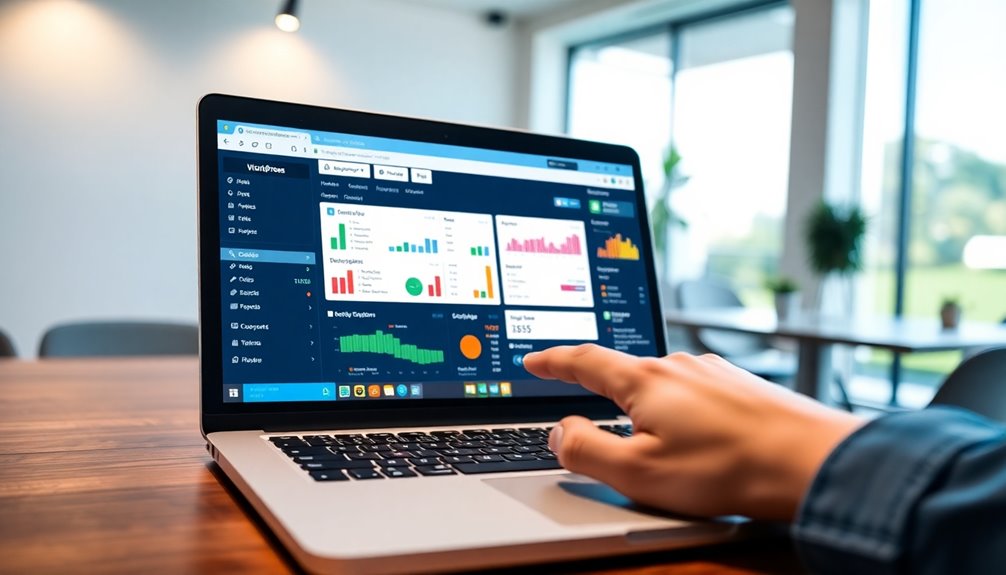
Centralized management makes handling multiple WordPress sites a breeze.
You’ll enjoy streamlined updates, simplified user management, and enhanced security protocols, all from one dashboard.
This approach not only saves you time but also boosts your site’s overall efficiency. Additionally, effective SEO optimization plugins can enhance your online visibility across all managed sites.
Streamlined Updates Process
As you juggle multiple WordPress sites, having a streamlined updates process can save you time and reduce stress.
With effective update scheduling, you can guarantee all your sites are running the latest version, enhancing version compatibility across plugins and themes.
Automating notifications about necessary updates keeps you informed without the hassle.
Prioritize plugin management and theme updates to maintain site performance and security.
Implement backup strategies to protect against any hiccups during updates, while regular security audits help you catch vulnerabilities early.
Performance monitoring guarantees your sites run smoothly, contributing to content consistency.
Simplified User Management
Managing multiple WordPress sites doesn’t have to be overwhelming, especially when you simplify user management. By centralizing user roles and permission settings, you streamline user onboarding and guarantee consistency across your sites.
You can easily create user groups, assigning roles based on the role hierarchy, which allows for tailored access controls and content restrictions. This means you can manage who sees what without the hassle of maneuvering through each site individually.
Plus, multi-site management becomes a breeze when you can modify user access in one place. Simplifying user management not only saves time but also enhances collaboration and efficiency, making it easier for your team to focus on creating great content without worrying about permissions.
Enhanced Security Protocols
When you consolidate your WordPress management, you greatly enhance your security protocols. Centralized management allows for streamlined security audits, making it easier to identify plugin vulnerabilities across all your sites.
You can implement robust user authentication measures, ensuring only authorized users have access. With efficient firewall integration, you bolster defenses against unauthorized access and attacks.
Plus, centralized malware detection helps you quickly identify and resolve threats. SSL management becomes simpler, securing data transmission across your sites.
Backup solutions can be standardized, ensuring your data is consistently protected. Finally, you can set up uniform access controls, minimizing the risk of human error.
This holistic approach not only secures each site but also simplifies your overall management.
Choosing the Right Management Tools for WordPress
When managing multiple WordPress sites, picking the right tools is vital for efficiency.
You’ll want to explore essential management plugins, cloud-based solutions, and user-friendly dashboard options to streamline your workflow. Additionally, utilizing backup solutions can safeguard your sites against data loss and enhance your overall management strategy.
Essential Management Plugins
To efficiently handle multiple WordPress sites, choosing the right management plugins is essential. Start by exploring plugin recommendations that streamline your workflow, like ManageWP or MainWP. These tools allow you to update, back up, and monitor all your sites from one dashboard.
When evaluating options, conduct plugin comparisons to see which features align with your needs. Look for capabilities like performance monitoring, security checks, and automated updates.
Don’t forget to take into account user reviews and support availability; these factors can greatly influence your experience.
Cloud-Based Solutions Overview
Cloud-based solutions offer a powerful way to manage multiple WordPress sites efficiently. With cloud hosting, you can enhance site performance and guarantee quick load times for visitors.
Look for platforms that provide reliable backup solutions, safeguarding your data against unexpected issues. Scalability options are vital; as your sites grow, you’ll want a service that can accommodate increased traffic without a hitch.
A thorough service comparison can help you assess vendor support and integration capabilities. Conducting a cost analysis lets you choose an option that fits your budget while still delivering a great user experience.
Don’t forget about data migration tools that simplify transferring existing sites to your new management system. Choose wisely, and streamline your WordPress management process.
User-Friendly Dashboard Options
Choosing the right management tools for WordPress can greatly simplify your workflow, especially if you’re overseeing multiple sites.
Look for options that offer customizable layouts, allowing you to tailor the dashboard to your needs. Intuitive navigation is essential, so you can quickly access different sites without hassle.
Make sure your chosen tool includes analytics integration and visual analytics for insightful data presentation. Consider user roles to manage permissions effectively, making collaboration seamless.
Mobile accessibility lets you monitor your sites on the go, while performance tracking helps you stay informed about site health.
Finally, task automation can save you time on repetitive actions, letting you focus on what really matters—growing your online presence.
Setting Up a WordPress Management Dashboard: A Step-by-Step Guide
As you immerse yourself in managing multiple WordPress sites, setting up a centralized management dashboard can simplify your workflow considerably.
Start by choosing a reliable management tool that meets your needs. Look for dashboard customization options that allow you to tailor the interface to your preferences.
Organize your sites using effective site organization strategies, grouping them by project or client for easier access.
Once you’ve selected your tool, follow the setup instructions, ensuring all plugins and themes are compatible.
Don’t forget to explore the features available, like bulk updates and performance analytics, to streamline your tasks. Additionally, consider using managed WordPress hosting to benefit from enhanced security and performance across all your sites.
With the right dashboard in place, you’ll save time and enhance your site management efficiency.
How to Connect Your Sites to the Management Dashboard?
Once you’ve set up your management dashboard, connecting your WordPress sites is the next step. Start by logging into your dashboard and locating the site connections section.
Here, you’ll find an option to add new sites. Enter the required details, like the site URL and admin credentials. Most management tools will require you to install a plugin on each WordPress site for seamless dashboard integration.
Once you activate the plugin, the dashboard will automatically recognize your site. After that, you can manage updates, backups, and analytics all from one place.
Essential Features to Look For in Management Tools
When managing multiple WordPress sites, having the right tools is vital. Look for features like a centralized dashboard for easy access, bulk updates to save time, and strong security management to protect your sites. These essentials can streamline your workflow and enhance your site management experience. Additionally, consider tools that offer automated backups to ensure your data is consistently protected across all sites.
Centralized Dashboard Access
Managing multiple WordPress sites can feel overwhelming, but a centralized dashboard simplifies everything. Look for tools that offer centralized access, allowing you to manage all your sites from one place.
Dashboard integration should be seamless, enhancing your multi-site efficiency. Prioritize management strategies that improve user experience while providing performance tracking and an analytics overview.
You’ll want tools that guarantee plugin compatibility, so you can easily add necessary features without disruptions. Workflow optimization is vital, helping you streamline tasks and improve site organization.
With these essential features, you can effortlessly juggle multiple sites, making sure each one runs smoothly and efficiently, all from a single, centralized hub.
Bulk Updates Capability
One key feature to prioritize in your management tools is bulk updates capability. This lets you manage multiple sites efficiently by performing bulk updates for plugins, themes, and WordPress core in a single action.
Look for tools that guarantee plugin compatibility and offer update scheduling, so you can automate these processes without downtime. Performance optimization is vital, too; you want updates to enhance, not hinder, your site speed.
Effective theme management and version control allow you to maintain consistency across sites. Additionally, choose tools with rollback options in case something goes wrong, and verify they integrate with your backup solution.
Finally, stay informed with update notifications to keep your sites running smoothly and securely.
Security Management Features
While you focus on managing multiple WordPress sites, guaranteeing robust security should be a top priority.
Look for management tools that offer thorough security audits to identify vulnerabilities. Implement user permissions and access controls to limit exposure. Effective malware protection and firewall configurations are essential to shield your sites from threats.
Enable two-factor authentication for added security and enforce strong encryption practices. Don’t forget to establish backup strategies to safeguard your data.
Regular threat monitoring can help you stay ahead of potential issues. Finally, confirm SSL management is in place to secure your connections.
Managing Updates and Backups Efficiently
To keep your WordPress sites running smoothly, you need a solid strategy for updates and backups. Here are three key steps to manage this efficiently:
A solid strategy for updates and backups is essential for keeping your WordPress sites running smoothly.
- Automated Backups: Set up automated backups to guarantee your data is safe without manual intervention. This way, you can restore your site quickly if something goes wrong, especially since over 40% of WordPress sites face hacking threats.
- Update Scheduling: Regularly schedule updates for plugins and themes. This keeps your sites secure and improves performance.
- Performance Monitoring: Utilize tools for database optimization and error reporting to maintain site health. Monitor user roles and content management to prevent issues.
Streamlining User Management Across Multiple Sites
After ensuring your sites are secure with regular updates and backups, the next step is streamlining user management across multiple WordPress installations.
Begin by organizing your multi-site users into user groups based on their roles. This simplifies role management and allows you to set uniform permission settings across sites.
Define access levels clearly, so each user knows what they can and can’t do. Utilize admin control to adjust account settings efficiently, ensuring smooth user collaboration.
Regularly review site permissions to avoid unnecessary access and enhance security. Implementing strong authentication methods can further protect user accounts from unauthorized access.
With a structured approach to user roles and a clear understanding of your user groups, you’ll maintain better oversight and improve the overall management of your WordPress sites.
Monitoring Site Performance With a Unified Dashboard
Managing multiple WordPress sites can feel overwhelming, but a unified dashboard makes it easier to monitor site performance. You can streamline your site management by focusing on key areas:
- Uptime Monitoring: Confirm your sites are always accessible by tracking uptime and downtime.
- Performance Metrics: Analyze site speed and traffic analysis to identify bottlenecks.
- Plugin Impact: Assess how plugins affect load times and overall performance.
With analytics integration, you can gather data on resource allocation and error tracking, helping you pinpoint issues quickly. Regular maintenance, including security checks, is essential to ensure ongoing site health and performance.
Implementing performance optimization techniques and conducting regular load testing will further enhance your sites.
Tips for Troubleshooting Common Issues in Multiple Sites
Troubleshooting common issues across multiple WordPress sites can be a challenging task, especially when performance monitoring highlights potential problems.
Start by checking for site conflicts, which can arise from plugin compatibility or theme issues.
If you encounter database errors, consider optimizing your database to alleviate performance bottlenecks.
User role discrepancies might cause access issues, so verify roles are correctly assigned.
Watch out for backup failures; regular backups are essential for recovery.
Security vulnerabilities can also stem from outdated plugins, so keep everything updated.
If you face update errors or connection problems, verify server settings and your hosting environment. Additionally, ensure that regular updates are implemented to protect against vulnerabilities that can compromise your sites.
Best Practices for Security and Maintenance
Here are three best practices you should follow:
- Implement Security Plugins: Use reliable security plugins to handle firewall configurations and vulnerability assessments. This helps protect your sites from threats.
- Establish Maintenance Schedules: Consistent maintenance schedules keep your sites updated with the latest updates and notification settings. This minimizes downtime and enhances performance.
- Develop Backup Strategies: Regular backups ensure quick recovery in case of incidents. Consider using a trusted backup plugin like VaultPress Backup to streamline your backup process.
Combine this with access controls and user permissions to safeguard your data effectively.
How to Scale Your WordPress Management As Your Needs Grow
As your WordPress needs expand, scaling your management approach becomes essential. Implementing a scalable architecture allows you to adapt quickly without losing efficiency.
Focus on resource allocation to guarantee each site runs smoothly, utilizing hosting solutions that can grow with you. Performance optimization should be a priority; fast-loading sites provide better user experiences.
Consider future-proofing strategies to keep your sites relevant and functional over time. Automated workflows can streamline repetitive tasks, saving you valuable time.
If your sites require unique features, explore custom development to meet specific needs.
Finally, employing multi-site strategies lets you manage all your sites from one dashboard, making it easier to scale effectively as your business grows.
Conclusion
Managing multiple WordPress sites from one dashboard can feel like juggling flaming torches, but with the right tools and strategies, you’ll master the art effortlessly. By centralizing your management, you save time and reduce stress, letting you focus on what truly matters—creating great content. As you scale up, remember that a well-oiled machine runs smoother. Embrace these practices, and soon, you’ll be the maestro of your WordPress symphony, conducting every note with ease.