If your WordPress site shows unusual login activity, like repeated failed logins or new users appearing, it’s a red flag. Watch for unexpected content changes, unfamiliar plugins, or security warnings from your host. A sudden drop in performance and increased spam comments can also signal a compromise. Pay attention to strange traffic patterns and any altered site appearance. Recognizing these signs early can protect your site. There are more essential details to help safeguard your website.
Unusual Login Activity: What to Look For?
Have you noticed any strange login attempts on your WordPress site? It’s essential to monitor for unusual activity.
Look for multiple failed logins from suspicious IPs, which could indicate a brute force attack aimed at cracking your user credentials. Check the login timestamps; if they seem odd or occur during unusual hours, it’s a red flag.
Monitor for multiple failed logins from suspicious IPs and unusual timestamps; these could signal a potential brute force attack.
Implementing geo location tracking can help you identify where these attempts originate. If you see repeated login attempts targeting admin access, take immediate action.
Regularly reviewing your login logs can reveal patterns that signal potential breaches. Being proactive about these signs can safeguard your site from unauthorized access and keep your data secure. Additionally, employing security plugins like Wordfence can enhance your site’s defenses against such threats.
Don’t ignore these warning signs!
Mysterious New Users in Your Dashboard
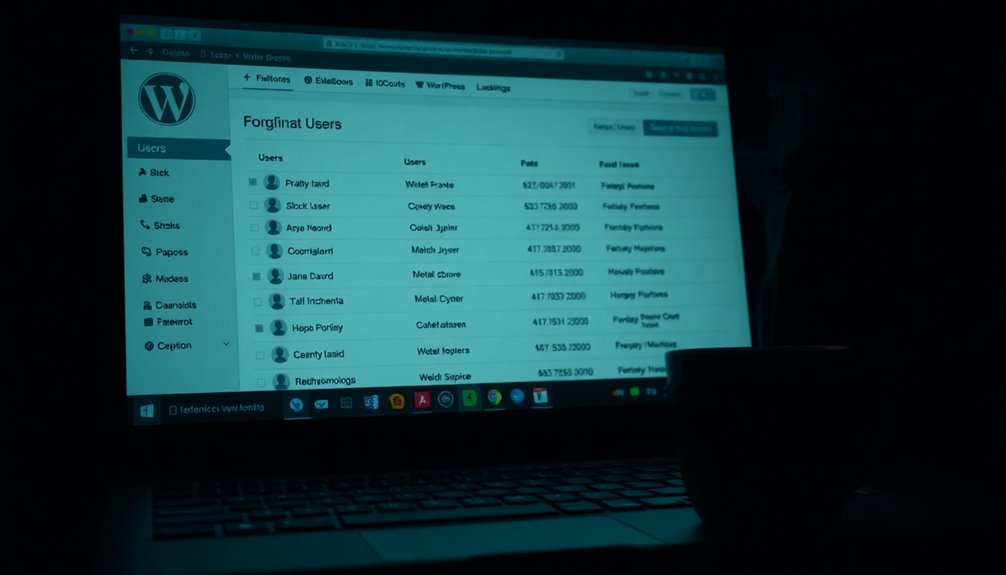
Ever wondered why there are new user accounts suddenly appearing in your WordPress dashboard?
These mysterious users can signal unauthorized changes, potentially compromising your site. Check the user roles assigned to these accounts; if they’ve admin access, it’s a major red flag.
Regularly review your access logs to monitor account activity and identify any suspicious IPs linked to login attempts. If you notice role escalation or users added without your knowledge, act quickly.
Enable admin notifications for any changes in user access, and consider deleting unfamiliar accounts to prevent further issues.
Staying vigilant is essential, as the presence of unknown users can lead to significant security breaches if not addressed promptly, especially in light of recent cyber attacks on small businesses.
Unexpected Changes to Site Content

When you notice unexpected changes to your site content, it’s essential to act quickly, as this could indicate a hack.
Look for unauthorized edits or altered posts that don’t match your original vision. You might find missing pages or content redirection to unfamiliar sites, which can harm your visitors’ experience.
Be vigilant for unauthorized edits or missing pages, as these can significantly disrupt your visitors’ experience.
Unexpected media, like strange images or videos, can also signal trouble. Additionally, check for broken links or hidden text designed to mislead users.
If you encounter misleading information that you didn’t create, it’s a red flag. Regularly monitor your site content to verify everything remains as it should. Implementing a comprehensive security plugin can help protect your site from such vulnerabilities.
If you spot any of these issues, take immediate steps to secure your site and restore integrity.
Performance Issues: Is Your Site Slowing Down?
If your WordPress site is slowing down, it could be a sign of trouble.
Unexplained traffic spikes and increased server response times might indicate that your site has been compromised. Regularly updating your WordPress core, themes, and plugins is crucial for maintaining optimal performance and security.
It’s essential to address these performance issues quickly to protect your content and users.
Unexplained Traffic Spikes
Have you noticed sudden spikes in traffic on your WordPress site without any marketing efforts to explain them? This can be a red flag that your site might be hacked.
Often, these spikes come from unusual referral sources that don’t align with your typical audience, indicating possible spam or bot traffic. You might also observe sudden visitor drop-offs after these spikes, as users quickly leave your site upon realizing it’s not what they expected.
If you’re experiencing these issues, it’s essential to investigate further. Check your analytics for suspicious activity, and consider implementing security measures to protect your site.
Ignoring these signs could lead to more severe performance problems or even a full-blown hack. Stay vigilant!
Increased Server Response Time
Is your WordPress site loading slower than usual? Increased server response time might indicate underlying issues.
High server load and response delays can harm user experience and SEO. Here are some factors to take into account:
- Traffic Analysis: Examine your site’s traffic metrics to identify unusual spikes or patterns.
- Server Health: Check your hosting environment for latency issues and guarantee that resource allocation is balanced.
- Caching Strategies: Implement optimization techniques like caching to enhance performance metrics and reduce server strain.
If you notice these signs, it’s vital to investigate further.
Slow response times can be a symptom of a hacked site, so take action to secure your WordPress and restore its speed.
Unfamiliar Plugins or Themes Installed
Wondering why your WordPress site looks different? One major red flag is the presence of unfamiliar plugins or themes. If you notice new additions that you didn’t install, it could indicate a breach.
Hackers often exploit plugin vulnerabilities to gain access, compromising your site’s security. Additionally, these rogue plugins can jeopardize your theme integrity, leading to further issues down the line.
Check your installed plugins and themes regularly; if something seems off, investigate immediately. Remove anything suspicious and update your security measures. Regularly monitoring reported vulnerabilities is crucial for addressing issues.
Keeping your site clean not only safeguards your data but also guarantees a smooth user experience. Don’t let hidden threats linger—stay proactive in protecting your WordPress site.
Strange Redirects or Error Pages
One clear sign that your WordPress site might be compromised is encountering strange redirects or unexpected error pages. These issues often arise from malicious scripts injected into your site, leading to user complaints and browser warnings.
One obvious indicator of a compromised WordPress site is the presence of unusual redirects or unexpected error pages.
If you notice these symptoms, consider the following:
- Deceptive Links: Users might be redirected to unfamiliar sites, increasing the risk of phishing attempts.
- Error Pages: Frequent 404 errors could indicate a serious problem, possibly linked to data breaches.
- Search Penalties: Search engines may penalize your site for suspicious activity, affecting your rankings.
Additionally, ensure you’re regularly monitoring error logs to catch any unusual activity that could indicate a compromise.
Don’t ignore these signs; they could point to compromised credentials or other vulnerabilities that need immediate attention.
Protect your site before it suffers greater consequences.
Security Warnings From Your Hosting Provider
After experiencing strange redirects or error pages, you might receive security warnings from your hosting provider. These security alerts often come as notification emails detailing issues like compromised credentials or malware detection.
Your provider may also flag file integrity problems or highlight backup failures that could jeopardize your site.
If you’re using security plugins, they may not be enough if there are firewall issues or if website monitoring isn’t set up properly.
Pay close attention to your access logs; they can reveal unauthorized activity. Ignoring these warnings can lead to serious consequences, so take action immediately.
Addressing these issues promptly keeps your site secure and helps restore your peace of mind. Additionally, consider implementing multi-factor authentication to further protect against unauthorized access.
Increased Spam Comments or Content
How can you tell if your WordPress site has been compromised? One clear sign is an increase in spam comments or content. If you notice a surge, it’s time to take action.
Here are three things to check:
- Comment Moderation: Review your comment moderation settings. Make sure they’re configured to filter out spam effectively.
- Spam Filtering: Utilize advanced spam detection tools to keep your site clean. Automated responses can help manage user engagement without jeopardizing content quality.
- Comment Policies: Revisit your comment policies. Clear guidelines can deter spammers and enhance your site’s integrity.
If you find that spam is overwhelming your moderation tools, it’s essential to address the issue immediately to maintain a healthy online presence. Additionally, consider implementing automated backups to safeguard your site against potential threats.
Unusual Traffic Patterns in Your Analytics
Spam comments can overwhelm your moderation tools, but another alarming indicator of a compromised WordPress site is unusual traffic patterns in your analytics.
If you notice sudden spikes or drops in visits, it’s time to investigate. These analytics anomalies could suggest that hackers are redirecting traffic to malicious sites or sending bots to inflate your numbers artificially.
Pay close attention to unfamiliar traffic sources; if you see visitors coming from dubious websites or countries you’ve never targeted, something’s off. Ignoring these signs can lead to further damage. Additionally, high-quality content can help improve your site’s resilience against such attacks.
Regularly review your analytics, and if you spot anything suspicious, take immediate action to secure your site and protect your data. Your vigilance is key in preventing a full-blown hack.
Discolored or Altered Site Appearance
Have you noticed your website looking different lately? If your site has discolored or altered appearances, it could be a sign of hacking.
Look for these site design anomalies that indicate potential issues:
- Color changes: Unusual hues or unexpected color schemes can signal tampering.
- Missing images and unexpected fonts: If your visuals are gone or fonts have changed, this may point to a breach.
- Layout distortions and broken links: Layout shifts and content misalignment can disrupt user experience, hinting at underlying problems.
Stay vigilant for these visual inconsistencies and altered branding.
Additionally, compromised sites can significantly impact your organic traffic growth, making it essential to act quickly to secure your site and restore its integrity.
Conclusion
If you notice any of these signs, it’s essential to act fast—over 40% of websites experience some form of hacking in their lifetime. Don’t let your WordPress site become another statistic. Regularly monitor for unusual activity, keep your plugins updated, and use strong passwords to protect your site. Staying vigilant can help you safeguard your online presence and prevent costly damage. Remember, prevention is always better than cure!