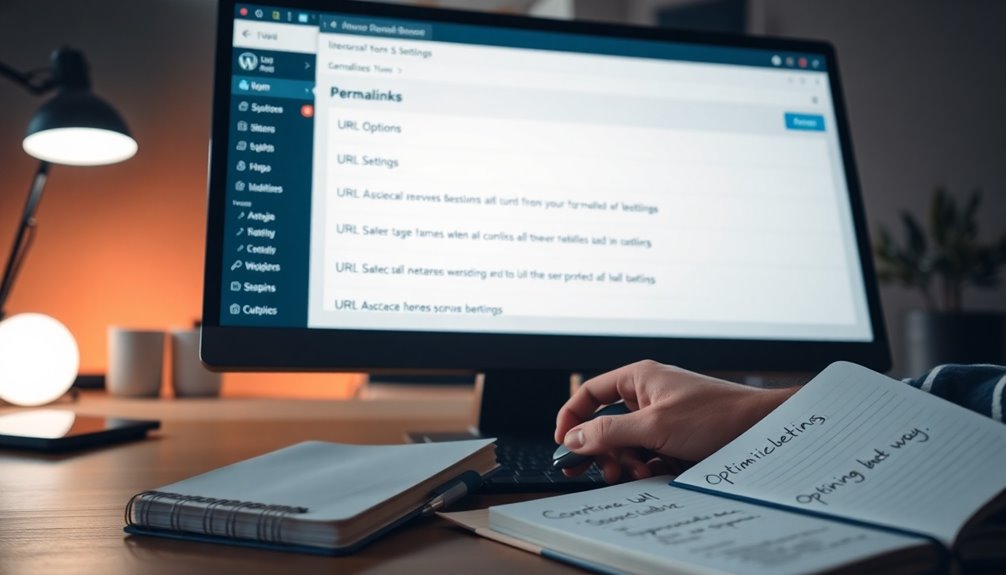
To optimize your WordPress permalinks, start by browsing to “Settings” and then “Permalinks” in your dashboard. Choose a structure like “Post name” for better SEO. Keep URLs short and include relevant keywords without stuffing them. Use hyphens for readability and maintain consistent formats. Don’t forget to implement 301 redirects for any changed URLs to preserve SEO value. By following these tips, you can enhance your site’s performance and user experience—there’s more to explore on the subject!
Why URL Structure Matters for SEO and User Experience
When you consider your website’s visibility, it’s clear that URL structure plays an important role in both SEO and user experience. A well-optimized URL should balance URL length and keyword relevance, making it easy for search engines to understand your content’s hierarchy.
This clarity enhances user trust, encouraging click-through rates. Prioritizing readability importance guarantees that visitors quickly grasp the link’s purpose. Additionally, brand consistency in your URLs fosters familiarity, boosting navigation ease.
With mobile optimization becoming vital, shorter, straightforward URLs adapt better to smaller screens. Aligning your URL structure with search intent can greatly improve user engagement, guiding visitors seamlessly through your site and enhancing overall satisfaction. Furthermore, implementing local keyword optimization can significantly increase your chances of being found by your target audience.
How to Access and Change Your WordPress Permalink Settings?

To access and change your WordPress permalink settings, head to your dashboard and navigate to the “Settings” menu.
From there, you’ll find the “Permalinks” option, where you can easily adjust the structure to fit your needs. Making these changes can greatly improve your site’s SEO and user experience. Additionally, selecting the Post Name structure can enhance both clarity and search engine optimization.
Accessing Permalink Settings
Curious about how to access and change your WordPress permalink settings? Start by logging into your WordPress dashboard.
From the left-hand menu, click on “Settings” and then select “Permalinks.” Here, you’ll find various permalink types to choose from, allowing you to create user-friendly URLs for your posts and pages.
You can select a predefined option, like “Post name,” or customize your structure if needed. Make sure to review the existing links on your site, as changing permalink settings can affect your SEO and broken links.
Once you’ve made your choices, don’t forget to save your changes. This simple process can greatly enhance your site’s usability and search engine visibility.
Changing Permalink Structure
Changing your permalink structure can considerably impact how users and search engines navigate your site. To access your settings, go to the WordPress dashboard, click on “Settings,” then “Permalinks.”
Here, you’ll find various permalink types like plain, day and name, and post name. Choose a structure that aligns with your content strategy. For instance, using the post name can enhance SEO and readability.
When implementing new permalink strategies, consider the implications for existing links. If you change a permalink, set up 301 redirects to avoid losing traffic.
Always preview your changes to guarantee everything looks right. After updating, monitor your site’s performance to see how the new structure affects user engagement and search engine visibility.
Best Practices for Creating SEO-Friendly Permalinks
Creating SEO-friendly permalinks is essential for boosting your site’s visibility. You should keep them short and sweet while incorporating your target keywords. This approach not only enhances user experience but also helps search engines understand your content better. Regular updates to SEO best practices ensure your permalinks remain relevant and effective in attracting organic traffic.
Keep It Short
When it comes to SEO-friendly permalinks, keeping them short is essential. Short URLs enhance the readability factor, making it easier for users to grasp your content quickly.
This clarity boosts user engagement, as visitors are more likely to click and share concise links. Additionally, shorter URLs are more suitable for mobile optimization, ensuring they display well on smaller screens.
They also have a positive branding impact, helping your site appear more professional and trustworthy. When users share your content, a brief permalink improves link sharing, making it more likely to be passed around on social media and other platforms.
Use Target Keywords
One effective way to enhance your WordPress permalinks is by incorporating target keywords. This practice not only improves your SEO but also helps users understand your content better.
Focus on target keyword placement within your URLs for maximum impact. Here are some best practices to keep in mind:
- Choose relevant keywords: Confirm they match your content.
- Keep it natural: Avoid keyword stuffing; it should flow well.
- Position wisely: Place keywords towards the beginning of the URL.
- Use hyphens: Separate words with hyphens for clarity and readability.
Common Mistakes to Avoid When Configuring Permalinks
Configuring permalinks might seem straightforward, but several common mistakes can lead to issues down the line.
One major pitfall is using excessive permalink length, which can hurt SEO. Avoid keyword stuffing; keep it natural and relevant.
If you have outdated links, fix them promptly to maintain user trust.
Be consistent with formats; mixing styles can confuse visitors.
Watch out for unnecessary parameters, as they can clutter URLs and detract from clarity.
Hyphen usage is essential; they help separate words effectively.
Finally, address any subdirectory issues promptly and be cautious when changing domains, as this can disrupt your site’s structure. Additionally, ensure you choose a hosting provider with reliable uptime to prevent broken links and enhance user experience.
How to Implement Redirects for Changed URLs?
If you’ve changed a URL on your WordPress site, it’s crucial to implement redirects to maintain your site’s SEO and user experience.
Without proper redirects, you risk creating broken links, which can negatively impact your SEO.
Here’s how to effectively manage URL mapping:
- Use 301 redirects for permanent changes to signal search engines.
- Regularly track changes to guarantee all old URLs redirect correctly.
- Consider plugin options like Redirection for easy management.
- Keep up with site maintenance to avoid broken links over time.
- Additionally, ensure that your WordPress REST API is functioning properly to facilitate smooth redirects and updates.
Tools and Plugins to Optimize Your WordPress Permalinks
After implementing redirects for any changed URLs, your next step is optimizing your permalinks to enhance both SEO and user experience.
You can use SEO plugins that integrate with permalink managers, helping you create clean, keyword-rich URLs. URL shorteners can also be beneficial for sharing links easily.
Redirection tools guarantee users find the correct pages, preventing 404 errors. For effective content management, consider tools with analytics integration to track user engagement and keyword tracking.
Performance optimization is vital, so choose plugins that minimize load times while boosting link building. Additionally, SEO optimization plugins can significantly improve your website’s visibility in search engines.
Conclusion
In the vast landscape of digital content, optimizing your WordPress permalinks is like crafting a well-structured roadmap for your visitors and search engines. By following best practices and avoiding common pitfalls, you’ll enhance both SEO and user experience. Don’t forget to implement redirects when changing URLs to keep your traffic flowing smoothly. With the right tools at your disposal, you can transform your site into a user-friendly haven that stands out in the crowded online world.